The idea to use a blog in my English courses came out of a feeling of frustration: my students’ definition of “doing the reading” each night was far too passive. I had heard too many stories of students who skimmed the reading and then shoved the text into their backpacks, forgotten, or, exhausted from doing their other homework, collapsed in bed at the end of the night and struggled, half-asleep, through an English assignment. I wanted students to spend a few minutes reflecting on the reading and preparing useful insights for the next day’s discussion.
I have been using blogs off and on since I taught at the Middle School (and Blogger is still, for me, the easiest, most intuitive platform), but it was at the beginning of this year, my second at the Upper School, that I decided to make a bigger leap: the blog would be a yearlong course activity and resource run completely by the students. I gave them a rubric for posting and commenting, but the topics of their posts were up to them. Resistance from the students was immediate: You mean we have to write on top of the reading? We have to read the book and our classmates’ thoughts? And then comment? After a few weeks, however, as the blog became part of the rhythm of the course, I noticed a dialogue forming between the blog and my classroom; students were taking ideas raised by others in class and talking about them on the blog and vice versa. I was getting two classes worth of discussion for each “live class” I taught.
Especially with my sophomore courses, where students in two different sections could interact via the blog, I found the students taking initiative beyond what I required: one student, for example, noticed that the actress who played Lady Macbeth in the recent PBS version of the play also had a role in the “Harry Potter” films. That student posted a few stills from both movies on the blog, which set the class abuzz.
This is the ultimate goal of a blog: connections students make in their own minds on their own time can be shared immediately and in real time. It can be an outlet for those students who might be shy, or might not be able to get in that key idea during class discussion, or need to write their thoughts out in advance to feel confident enough to say something in front of a group.
The side effect I never anticipated? The writing on the blog is excellent, sometimes even better than what I get in essays. It seems that when you’re writing something you know fifteen of your peers will be reading, you’re more motivated to put your best writing forward.
- Eric Hudson
US English Teacher

Monday, February 28, 2011
Sunday, February 27, 2011
Conference "Take-Aways"
 |
| NAIS 2011 Conference |
1) We need to help improve public education.
2) YouTube has some pretty amazing analytic tools. (see video below)
3) North Carolina Association of Independent Schools is leading an online learning program.
4) Cloud computing offers a wealth of free online software.
5) Google's iCal feeds are pretty cool.


Friday, February 25, 2011
"What's Your Story?" Video Contest
Maybe you’ve seen the headlines. Maybe you’ve seen it for yourself. But you’re probably aware it’s more important than ever to use the Internet safely and responsibly. Whether it’s about cyberbullying, hackers, or privacy, there’s probably a story you can share that could help others be safe and responsible online.
That’s why you’re invited to join the contest. Submit and share a short video and you could win $10,000, or other cash prizes.
What's the deal?
Prizes: One $10,000USD grand prize; six $500USD category prizes (three awarded to schools per category and three awarded to individuals per category). Prizes are in US Dollars or equivalent in British Pound Sterling or Canadian Dollars at contest closing date.
Deadline: Upload by 11:59:59 PM US Pacific Time on April 5, 2011
Content: Your video must address one of three
Being A Good Online Citizen
Using A Mobile Phone Wisely
Maintaining Your Privacy Online
Eligibility: All residents of Canada (excluding Quebec), the UK and the US, 13 years of age and older.
For more information and to see last years winners: http://whatsyourstory.trendmicro.com/internet-safety/Home.do
Tuesday, February 22, 2011
Doodle 4 Google K-12 contest

Doodle 4 Google is a competition where Google invites K-12 students to use their artistic talents to think big and redesign Google’s homepage logo for millions to see. At Google, they believe that dreaming about future possibilities leads to tomorrow’s leaders and inventors, so this year they're inviting U.S. kids to exercise their creative imaginations around the theme, "What I’d like to do someday…"
Whether students want to find a cure for cancer or take a trip to the moon, it all starts with art supplies and some 8.5" x 11" paper. And, one lucky student artist will take home a $15,000 college scholarship and $25,000 technology grant for their school, among many other prizes.
Registration closes at 11:59:59 p.m. Pacific Time (PT) on March 2, 2011, and entries must be postmarked by March 16, 2011 11:59:59 p.m. Pacific Time (PT). The winning doodle will be featured on Google.com's homepage on May 20, 2011.
Wednesday, February 16, 2011
Remix Culture, Fair Use and Online Tools for Capturing Audio and Video Content From the Internet
Q: What is Remix Culture?
A: Making new stuff from the existing stuff
Center for Social Media resources:
- Fair Use Question of the Month
- Code of Best Practices in Fair -Use for Creating Video, Documentary, Poetry, Remix Culture
- Examples of Successful Fair Use in Documentary Film
- Did These Mashups Use "Fair Use"? You Decide! Ten grad students used the Code of Best Practices in Fair Use for Online Video to try to create "fair use" mash-up videos. Take a look at the videos and decide how well (or not) they did!
This video explains why the Code for Fair-Use in Online Video got created, and how the Code can help you create online videos that employ fair use of copyrighted material.
Creative Commons provides free tools that let authors, scientists, artists, and educators easily mark their creativity. Creative Commons can help you find photos, music, text, books and educational materials.
Tools for Capturing Video and Audio Content From the Internet
• Media Converter converts your audio and video files from your hard disk, by url/stream (http,ftp, mms,rtsp) or directly from websites like Facebook or Youtube
• Listen to youtube your best source for converting YouTube to MP3. You can convert unlimited YouTubevideos to MP3 for FREE.
• Video2Mp3 allows you to convert and download YouTube videos to MP3 file online.
• Screencast-O-Matic is the original online screen recorder for one-click recording from your browser on Windows, Mac, or Linux with no install for FREE!
• Listen to youtube your best source for converting YouTube to MP3. You can convert unlimited YouTubevideos to MP3 for FREE.
• Video2Mp3 allows you to convert and download YouTube videos to MP3 file online.
• Screencast-O-Matic is the original online screen recorder for one-click recording from your browser on Windows, Mac, or Linux with no install for FREE!
• Sketchcasting allows you to record a sketch with or without voice, explain something, have fun, or create art. Then embed the sketch player in your blog or point people to your sketch channel.
Singaporean Schools to Utilize iPads in the Classroom
"A high school in Singapore has recently spent a lot of cash ($103,430 to be approximate) for 150 iPads from Apple. Part of a pilot project to determine how useful iPads can be in the classroom, the iPads have been given out to children to take notes, make worksheets, and look up additional information on their current subject. The dean of the curriculum wants this project to give children more freedom in the classroom, to depend less on their teachers and traditional ways of teaching. With an iPad, children aren’t limited to sitting down at a desk, since they don’t need a table to write with anymore, but how effective this project will be is yet to be known. This means that teachers now have to spend extra time teaching kids how to operate iPads (not all of them might know how to use one). Though the use of the iPad in a classroom would have some significant benefits – kids no longer need to lug heavy school books with them to class, no more money needs to be spent on paper and stationary. If the experiment is successful, the Singaporean government plans to implement iPads into the education system throughout the whole country. " link to the original source for this post
Monday, February 14, 2011
Kindergarten Photo Editing Project
Following Winter Break the students in kindergarten spent some time reviewing class rules in order to help them transition back into school routines. In order to demonstrate their understanding of the rules pairs of students took pictures of each other either following one of these rules or breaking it!
The pictures the students took were then uploaded to their computers and they accessed them through KidPix. In KidPix the students could edit, decorate and add interesting decorations to the pictures. When they were finished editing their pictures the students typed in the rule the picture was showing. Then we printed and hung them in the hall for all students to see.
Sunday, February 13, 2011
Green Globs in the 8th Grade Math Classroom

Green Globs is a game in which 13 green globs are randomly placed on the grid. Students earn points by entering equations that pass through as many green globs as possible. After learning about coordinate graphs and equations in math class, students in eight grade came to the middle school tech lab to put their knowledge to work by playing the "Green Globs". Here's how the game was played: If student's correctly entered an equation, they hit a green glob target. After becoming more proficient at the game, the eighth graders can advance to the higher level - challenged by "blockers" that force them to find alternative equations to hit the targets.
Eighth Grade Current Event History Blog
Read the latest posts and comments to the 8th Grade Current Event History Blog. All the leading questions are selected by students:
1. Is WikiLeaks a good thing or bad thing for a democracy? Why?
2. What is the "best" leak? the "worst"? (you define)
3. Should news outlets be prevented from publishing them?
4. Is the phenomenon - that this happened - surprising.
5. Should Assange be prosecuted for WikiLeaks?
1. Should Mubarak be immediately removed, making it possible for the riots and protests to simmer down? Or should he serve out the rest of his term and allow to ElBaradei’s movement to identify a candidate to replace Mubarak?
2. What is the "best" leak? the "worst"? (you define)
3. Should news outlets be prevented from publishing them?
4. Is the phenomenon - that this happened - surprising.
5. Should Assange be prosecuted for WikiLeaks?
1. Do you think that there is need for more restrictions on guns? Why?
2. Why do you think lawmakers aren't creating any new restrictions for gun control? Why
3. If you were given a chance to make a restriction on gun control what would it be? Why
4. Do you think that shooting in Arizona is a reason for creating more regulations on people's guns? Why?
5. Do you think that by making it harder to have access to guns, it would reduce the gun violence? Why?
2. Why do you think lawmakers aren't creating any new restrictions for gun control? Why
3. If you were given a chance to make a restriction on gun control what would it be? Why
4. Do you think that shooting in Arizona is a reason for creating more regulations on people's guns? Why?
5. Do you think that by making it harder to have access to guns, it would reduce the gun violence? Why?
Francis History Blog Post: Current Events in Egypt
Latin American Website Project
Seventh Graders have recently finished creating individual websites as part of the Latin American History Country Project. This is the third year of the websites, which replaced individual poster projects as a far more interactive way for students to learn and teach about their countries.The websites allow students to complete a number of skills tasks within a creative framework.


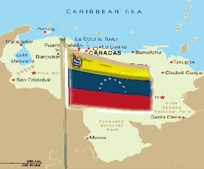


Requirements include scanning in hand-drawn maps and flags, writing several explanatory pieces, listing social and economic facts, finding pictures and captions, imbedding video and audio clips, imbedding a google map, imbedding “hot spots”, creating bibliographies, and providing links to other sites and games that teach about the country. Students have a great deal of latitude with design and presentation, and each chooses his/her own hotspots, pictures, games, and “your choice” topic.

The project takes just over two weeks to complete, and students have both a self evaluation checklist and evaluate three assigned classmates’ websites. Students understand that part of their evaluation is both how independently they work, and how they help and seek help from other students. Students often have excellent problem-solving suggestions for each other, and equally good suggestions for us in their project evaluations. This year, for instance, some suggestions were that we start the scanning in the first week, present the bibliography requirements earlier, do more of the tech instruction at once, and incorporate http://www.scribblemaps.com
Almost universally, students appreciated learning how to construct a website, and all appreciated the wide variety of design and information from which they could choose. We feel that the project is a superb teaching tool which can only get better as we all learn more. Miles Billings and Svetlana Grinshpan spearheaded the original websites, and the projects from the last two years are viewable on Knightline, (username and password: knightline, knights74) under Middle School History. As well as research, essays, artwork, and timelines, students will also undertake and present individual virtual trips at the end of the year to complete their individual country studies.
Bill Rogers, MS Department Head, History
Thursday, February 10, 2011
MEMSET meeting yesterday
Yesterday Colm Eliot, Svetlana Grinshpan, Julia Kelly and I attended the 2nd meeting of the Massachusetts Elementary and Middle School Educational Technologists (MEMSET). This is a new group formed just this year, meeting first at the Brookwood School last October and then at the Tenacre school last night.
The evening included several presentations, dinner and discussion. The group has decided to meet monthly, so if you are interested in attending a meeting, please let your ATS know. The meetings will focus on technology integration in the elementary and middle school grades.
Technologies/Topics of discussion last night included: movie making in world languages classrooms using flipcams, comic life, keynote, stop motion animation software, virtual field trips on iPods, wikispaces, and Google Aps.
Schools in attendance included (but were not limited to): BB&N, Park, Shady Hill, Fessenden, Chestnut Hill, Belmont Day, Fay, Derby Academy, Brookwood, Meadowbrook, Pike, Shore Country Day, Brimmer and May, Kingsley, Ten Acre. Advent, Nashoba Brooks, and Bell South.
-Megan Haddadi
High School History - Feb 16
Here is a professional development opportunity to participate in an online webinar...
Feb-16 4:30PM EST -- The Digital History Teacher & Paperless Classroom
Host Tom Daccord welcomes featured guests Michael Hutchison and Beth
Yoder, social studies teachers at Lincoln High School in Vincennes,
Indiana, who elected to “go digital” and move their classes to a
paperless curriculum. Michael is a 33-year veteran teacher named
"Teacher of the Year" by the Indiana Computer Educators in 2002 and
"Technology-Using Teacher of the Year" by the International Society
for Technology in Education.
Register at: http://tiny.cc/NCSSwebinar
Future EdTechTeacher webinars include Teaching Science with Technology
and 21st Century School Leadership. Details T.B.A.
Tom
--
Tom Daccord
Co-Director, EdTechTeacher
Chestnut Hill, MA
tom@edtechteacher.org
http://edtechteacher.org/
http://besthistorysites.net/
twitter: thomasdaccord
Feb-16 4:30PM EST -- The Digital History Teacher & Paperless Classroom
Host Tom Daccord welcomes featured guests Michael Hutchison and Beth
Yoder, social studies teachers at Lincoln High School in Vincennes,
Indiana, who elected to “go digital” and move their classes to a
paperless curriculum. Michael is a 33-year veteran teacher named
"Teacher of the Year" by the Indiana Computer Educators in 2002 and
"Technology-Using Teacher of the Year" by the International Society
for Technology in Education.
Register at: http://tiny.cc/NCSSwebinar
Future EdTechTeacher webinars include Teaching Science with Technology
and 21st Century School Leadership. Details T.B.A.
Tom
--
Tom Daccord
Co-Director, EdTechTeacher
Chestnut Hill, MA
tom@edtechteacher.org
http://edtechteacher.org/
http://besthistorysites.net/
twitter: thomasdaccord
Professional Development in Technology: The BB&N Launch Project
Here is a description of how the launch grant process works. Click the play button below...
Created with Scratch - a programming language for everyone.
Created with Xtranormal- a fun website that lets you make animations like this one by choosing: a set, actors, sound and music and typing what you'd like your actors to say.
Created with Scratch - a programming language for everyone.
Wednesday, February 9, 2011
iBOOKS, PODCASTS, MINDMAPS Exploration


In my work as Learning Specialist at the Middle School, I encounter students who often struggle with the reading volume and rigor the curriculum asks of them. They may lack the ability to read for main ideas, get mired in details of the text and miss important themes being emphasized in their classroom instruction. Lack of reading fluency may continuously bog them down. I was intrigued by the possibilities of exploring digitized text on the iPad and how using this technology with my students might make the reading assigned more accessible to them given the interactive design. I wanted to model active reading strategies with this technology in the hopes that students would be more apt to apply these approaches independently. I was also interested in learning about applications that would enable me to vary instruction of certain skills (i.e. mind mapping, organization of ideas prior to writing) based on the student’s learning needs.
iBOOKS

I was able to find several of the MS texts in iBooks (some were free.) The ability to highlight and create notes (or post-its) allowed me to model to students in a very concrete way the skill of reading for main ideas – something that is just not automatic for some. The Dictionary function within iBooks only adds to increasing comprehension and the Search function is an instant link to Google or Wikipedia to gain background information on any event, concept the student encounters in the reading. Lack of background information can be costly for a student, creating an impediment to fluid reading and comprehension of the text. Shakespeare Pro is an excellent app, containing over 30 plays, quotes from various works and a glossary function that defines several more words within a passage than the text students read.

PODCASTS
Various podcasts are also available to download (and email link to student) of texts Middle Schoolers are reading. A valuable asset, podcasts can take the place of audio books and truly make a difference in reading comprehension for many of our students who learn and process more effectively when information is presented orally. Librivox in iTunes and iTunes U offered some of the texts students read during the 7th and 8th grade English classes.
MINDMAPS

Both Whiteboard and iThoughts HD are solid mindmapping apps that have the added bonus of exportability. Either can be easily exported to students’ email (Whiteboard via Photos) so that whatever map or visual a student and I create is waiting for them in their First Class email to either view or print at home and work from. I am eager to keep applying these findings to my direct service work and continue to explore this technology. The interactive nature of the iPad forces one to be active with information, which ultimately seems to engage the student more.
Jamie Wallace, Learning Specialist at the Middle School
Enhancing the MS Library Website: the Portal to the Library and its Information.


As middle school librarian, I am constantly challenged to find new and innovative ways of providing user-friendly, easily accessible quality information for our students. With this in mind, my launch grant is designed to enhance the ms library website, the portal to the library and its information. I used a three-pronged approach:

1. I re-created the MS website using Google Applications, because it’s more readily accessible, easier to navigate and it lacks the many layers of password protection required by the previous website created with First Class’s Rapid Web Design. Check it out at https://sites.google.com/a/bbns.org/middle-school-library/
2. I explored the various subscription databases, e-books and websites linked on the website. I experimented with a variety of search engines and directories. I conducted searches typical for MS science and history classes, the two primary subjects for which our MS students conduct research. I determined that some databases are more useful to our curriculum than others. Facts on File history databases were quite helpful, but the Science Online database was not as useful for science fair research as simply using search engines such as Advanced Google and Sweet Search. Our task now is to integrate effective search strategies and website evaluation skills within MS curriculum. I look forward to working with the BB&N community as we move forward in this effort.
3. I am seeking student input to develop new aspects of the website, including blogs and book trailers, for the upcoming Read-a-thon and Community Read, visuals, voice thread, and potentially, in the near future, entertaining online skills instruction on the website. I’m trying to make the site more interactive and engaging.
Beth Brooks, MS Library Director, All School Library Coordinator
Tuesday, February 8, 2011
iPad Research and Exploration

In my research and exploration of the iPad, I have found that it is superhandy for media viewing, internet browsing, doing research and keeping my calendar organized. However, in my attempts to use it as I use the tablet PC for teaching, I found it was severely limited in three very important ways: 1. Projectability 2. Note-taking 3. Syncing. Currently, I use my Tablet PC for all of my classroom work: grading, lesson planning, scaffolding, modeling, etc. The Tablet allows me to write over text or documents, so I can project the text of a book we are reading, add to a lesson agenda, model proper mechanics, edit an essay. This is where the iPad falls short as a teaching tool because only a limited numbers of apps can a. be projected and b. allow me to write with a stylus on a document (none of the e-book readers that I have explored allow this).
Additionally, I have yet to find the best way to sync and access all of documents and OneNote files (my planner) on the iPad. That said, if we were to have a class set, I could see the iPad being a great tool in English for graphic organizer, reading, organizer, researching, brainstorming and collaborating. Additionally, students could use the iPad as an electronic notebook, binder, research tool and textbook. I think it would be really cool to pilot a program in which a group of students uses iPads for the entire year in place of traditional educational gear (pen, pencil, paper, notebook, binder, books, computer) to see how effective it could be.
Useful Sites & Resources
Wednesday, January 26, 2011
Alternative Energy Kits in the Science Classroom

The fourth grade has been exploring alternative energy sources as part of their Chemistry/Environment unit in science. Through a LAUNCH grant, I purchased 5 kits to pilot with this year's class so I could determine which educational kit would be the easiest for students to understand and be successful with. The kits we are working on include: Thames and Kosmos' Wind Power, Hydro Power and Fuel Cell Car Kits, along with Horizon Technology's Renewable Energy Kit, and Elenco's Snap Circuits' Green Kit. The students took on the challenge, and despite difficult directions (mostly geared toward adult readers), the fourth graders have problem solved, and teams have successfully constructed a working mill and a fuel cell car. Students are beginning to understand that there are sources of energy other than fossil fuels that we could be tapping and exploring in efforts to be more environmentally friendly! Our goal is to finish exploring the kits by the end of this month and have teams present their challenges and successes along with their recommendations so we can purchase the kits that support the best learning of the concepts presented in this unit.
-Maria Elena Derrien
LS Science
eReaders in Education
 |
| Reader |
 |
| eReader |
Which is my favorite? iPad; no contest. I can build and organize an extensive library (much of which is free), bookmark several books at several points, enlarge print (or change style of font), even have the ‘read aloud’ function on (though with fiction this is more annoying than I can stand). In short, I’m carting around a virtual wheel-barrow full of books that doesn’t spill or get out of order.
Danger danger: This is soooo addictive.
The Big Picture: Illustrations are happening. The Earnest Shepherd ones for Pooh, for instance, have colors very close to the original. I expect more and more picture books by the day.
Dictionaries, highlighting and note taking functions make this seem like a great teaching tool.
Oh, and email and all my favorite sites are right there too, including Netflix and any games I might want plus the iPad functions as an iPod and can be my photo album etc.
Nook and Kindle do the electronic reader thing adequately. All 3 make great one on one learning tools. Ask me for my list.
Problems: Kindle has hampered itself in that it cannot accept materials from anywhere but Amazon. Nook likes Barnes & Noble. The advantage: no distractions like sample games or surfing.
Conclusion: It’s a rapidly evolving technology… so new models arrive in the Spring.
Next moves: Using these with students, and researching group rates.
Recommendation: School could make setting up an account simpler.
-Heather Lee
Lower School Librarian
Tuesday, January 25, 2011
The Search for Useful Technology in the Early Childhood Classroom

As early childhood educators we are constantly trying to solve the riddle of how we as teachers can invite technology into our child-centered classrooms. We want technology that expands on the children’s ideas about the world, not have their ideas confined by teacher direction. Children at this age explore the world around them through communication and manipulation. They learn through controlling movement and interactions between objects in their environment.
This year the BSR classroom was thankful for the permission to purchase a Smart Table through BB&N’s LAUNCH Grant Program. The Smart Table is a multi-touch, collaborative technology instrument for students at the primary and elementary grade levels. Teachers can customize activities so groups of students can create, explore, and problem solve together by manipulating icons on the table with hand gestures. We feel that the Smart Table shows great potential as an integrated technology piece in the early childhood classroom. It allows groups of students to observe videos, view themselves in classroom photos and short clips, and to use one of the many ready-to-go lesson activities found online in the Smart Exchange. Stay tuned for further updates on the Smart Table in our classroom.
Shera and Anthony
Beginners Teachers
This year the BSR classroom was thankful for the permission to purchase a Smart Table through BB&N’s LAUNCH Grant Program. The Smart Table is a multi-touch, collaborative technology instrument for students at the primary and elementary grade levels. Teachers can customize activities so groups of students can create, explore, and problem solve together by manipulating icons on the table with hand gestures. We feel that the Smart Table shows great potential as an integrated technology piece in the early childhood classroom. It allows groups of students to observe videos, view themselves in classroom photos and short clips, and to use one of the many ready-to-go lesson activities found online in the Smart Exchange. Stay tuned for further updates on the Smart Table in our classroom.
Shera and Anthony
Beginners Teachers
Wednesday, January 19, 2011
Update on LEGO WeDo at the Lower School

4th grade students just completed their second LEGO WeDo creation and are beginning their third model. Students built and programmed a mechanical lion that makes sounds and is motorized to lift and lower its front legs as if it is sitting up and lying down. They “trained” their lions to sit up and roar, then lie down and snore when they threw it a “bone” made with a tilt sensor. Now the students are in the process of building a mechanical bird that makes sounds which are activated by manually tilting the bird up and down to lift and lower its head and flap its wings.
(The looks of surprise captured on the children's faces in the photograph above are due to the lion's head popping off as the students were trying to figure out the correct motor power and number of rotations required to make the lion sit up properly.)
-Megan Haddadi
4th Graders Create Solar Powered Vehicles


Prior to introducing my students to the Renewable Energy Kits purchased through my LAUNCH grant, I decided the fourth graders needed a background on how renewable energy works. I had them design and build solar powered vehicles out of Radio Shack solar cells and motors, as well as spare parts from LEGO MindStorms kits. A few days ago we had some sun, and we and tested our vehicles outside. We realized we need a more intense sun to create enough current to power the motor and will wait until the spring to try again! As we move forward, fourth graders will be working with other alternative energy sources (hydro power, wind power and fuel cell technology) while exploring the educational kits purchased through the LAUNCH grant. Check back shortly for an update on how the kits are going!
-Maria Elena Derrien
Sunday, January 16, 2011
New "FAM" portal for parents

Teachers have access to the student database through their "TAM" accounts, and can access the parent directory information there.
Monday, January 10, 2011
Schools in the Digital Age
These videos feature reflections on education and the use of digital tools. After viewing the videos, please use the comments box on the bottom of this page to post your thoughts and reactions in the context of teaching and learning at BB&N.
Ken Robinson's "Do Schools Kill Creativity" is a must see video.
Alan November has been reflecting on educational technology for decades.
Larry Rosenstock's "High Tech High" describes a school based on the principles of project based learning.
Salman Khan's "Khan Academy" is a free online set of videos that teach elements of mathematics and other subjects bit by bit.
Michael Wesch's "The Machine is Using Us" shows how the nature of text and publishing has changed forever.
Ken Robinson's "Do Schools Kill Creativity" is a must see video.
Alan November has been reflecting on educational technology for decades.
Larry Rosenstock's "High Tech High" describes a school based on the principles of project based learning.
Salman Khan's "Khan Academy" is a free online set of videos that teach elements of mathematics and other subjects bit by bit.
Michael Wesch's "The Machine is Using Us" shows how the nature of text and publishing has changed forever.
Teaching in the Digital Age
The videos below feature teachers reflecting on their craft. After viewing the videos, please use the comments box on the bottom of this page to post your thoughts and reactions in the context of teaching and learning at BB&N.
History teacher Diana Laufenberg shares 3 surprising things she has learned about teaching...
Math teacher Dan Meyer reflects on how a digital projector changed his teaching...
dy/av : 002 : the next-gen lecturer from Dan Meyer on Vimeo
Instructional technologist Sam Morris takes a light-hearted look at teaching paperless in this "I Hate Paper" video...
Please post your thoughts, reactions, and comments to these videos.
History teacher Diana Laufenberg shares 3 surprising things she has learned about teaching...
Math teacher Dan Meyer reflects on how a digital projector changed his teaching...
dy/av : 002 : the next-gen lecturer from Dan Meyer on Vimeo
Instructional technologist Sam Morris takes a light-hearted look at teaching paperless in this "I Hate Paper" video...
Please post your thoughts, reactions, and comments to these videos.
Born Digital
Born Digital by John Palfrey and Urs Gasser explores the implications of the digital environment in which our students grow up. Each of the videos below represents a chapter of the book. These videos were created by Berkman Center summer interns.
After viewing the videos, please use the comments box on the bottom of this page to post your thoughts on these videos in the context of BB&N.
Chapter 1: Identities
Chapter 2: Dossiers
Chapter 3: Privacy
Chapter 4: Safety
Chapter 5: Creators
Chapter 7: Quality
Chapter 8: Overload
Chapter 9: Aggressors
Chapter 10: Innovators
Chapter 11: Learners
Chapter 12: Activists
Please post your thoughts, reactions, and comments to these videos.
After viewing the videos, please use the comments box on the bottom of this page to post your thoughts on these videos in the context of BB&N.
Chapter 1: Identities
Chapter 2: Dossiers
Chapter 3: Privacy
Chapter 4: Safety
Chapter 5: Creators
Chapter 7: Quality
Chapter 8: Overload
Chapter 9: Aggressors
Chapter 10: Innovators
Chapter 11: Learners
Chapter 12: Activists
Please post your thoughts, reactions, and comments to these videos.
Saturday, January 8, 2011
Online School for Girls offers "Blended Learning" course for any teachers
 The Online School for Girls is an effort by independent girls schools to move into the digital delivery of courses. In addition to offering courses to high school students this organization also offers 6 week online seminars to teachers [for any middle or upper school teachers]. The seminars teach you how to use a "blended learning" approach to enable you to add an online component to your face-to-face courses. They use the same online learning platform as the school, which is a system named "Haiku." I have heard great things about this professional development offering!. A course website can support student learning by offering organized access to course content/resources, calendars, & grades, as well as instructional activities like discussion boards, online quizzes, small group activities, and the use of "web 2.0" tools. You can read more about the OSG professional development opportunity on this announcement (from last year) by their director or this blog post by a participant, or you can go to their site to register (click on "Register for Professional Development" on the right side of page. Please register soon. There are only 25 spots in their course. It may already be full, but if you register now you can get on the waiting list for the next round. If anyone has any questions, please let me know. This is one of the best opportunities for teachers interested in teaching online that I am aware of.
~ Demetri
Friday, January 7, 2011
ATS Picks 01/06/11
1. Web-Design Competition Sparks Collaboration
Discussion Questions
1. How does the ThinkQuest competition benefit students of the Digital Generation?
2. What did you think of the solutions that the team came up with for the eDivide project?
3. How does ThinkQuest facilitate communication and collaboration skills? How can you provide similar experiences for your kids?
3. Digital Youth Portrait: Jalen
Discussion Questions
1. Is Jalen typical of kids in your community? Why, or why not?
2. How is Remix World facilitating collaboration and reflection? What are some publicly available online tools that could accomplished the same goals?
3. How does digital media complement Jalen's interest in graphic design?
4. How would you describe the attitude of Jalen's parents about their son's passion for digital media?
5. What skills does Jalen practice or learn through his movie and animation projects? How can projects like this impact the lives of kids?
4. Send us your own pick!!!
If you give us a tool you have been using in your classroom, we would love to feature you in a future ATS Picks blog entry. Please leave a link in the comments box below if you have a technology you would like to share with your colleagues. Thanks!
Discussion Questions
1. How does the ThinkQuest competition benefit students of the Digital Generation?
2. What did you think of the solutions that the team came up with for the eDivide project?
3. How does ThinkQuest facilitate communication and collaboration skills? How can you provide similar experiences for your kids?
2. Scratch as an Animation Tool
Next time you ask your students to make a presentation, consider having them use Scratch to create simple animations. Scratch is a programming language that makes it easy to create your own interactive stories, animations, games, music, and art -- and share your creations on the web. BB&N students are being introduced to this tool throughout the school. It is offered as an after-school activity in the Lower School by Colm, is taught to the 6th graders by Megan and has been introduced to the 7th graders by Svetlana. If you are interested in creating a Scratch project, please contact your ATS. We are more than happy to work with you and your students. Check out these two scratch projects that were featured on MIT's scratch website:

Next time you ask your students to make a presentation, consider having them use Scratch to create simple animations. Scratch is a programming language that makes it easy to create your own interactive stories, animations, games, music, and art -- and share your creations on the web. BB&N students are being introduced to this tool throughout the school. It is offered as an after-school activity in the Lower School by Colm, is taught to the 6th graders by Megan and has been introduced to the 7th graders by Svetlana. If you are interested in creating a Scratch project, please contact your ATS. We are more than happy to work with you and your students. Check out these two scratch projects that were featured on MIT's scratch website:
3. Digital Youth Portrait: Jalen
Discussion Questions
1. Is Jalen typical of kids in your community? Why, or why not?
2. How is Remix World facilitating collaboration and reflection? What are some publicly available online tools that could accomplished the same goals?
3. How does digital media complement Jalen's interest in graphic design?
4. How would you describe the attitude of Jalen's parents about their son's passion for digital media?
5. What skills does Jalen practice or learn through his movie and animation projects? How can projects like this impact the lives of kids?
4. Send us your own pick!!!
If you give us a tool you have been using in your classroom, we would love to feature you in a future ATS Picks blog entry. Please leave a link in the comments box below if you have a technology you would like to share with your colleagues. Thanks!
Subscribe to:
Posts (Atom)