
Showing posts with label bbnClassroom. Show all posts
Showing posts with label bbnClassroom. Show all posts
Wednesday, March 6, 2019
English Meets Maker
Our English classes have been reading "A Raisin in the Sun." To better project the work being done, the students are creating visual collages of dreams as they imagine the characters. To support this the English classes have come to the Maker Space (MS2) to sort and cut up old Life magazines and National Geographics from the 1940's and 1950s ... very collaborative. We will highlight the final work in the next post.


Wednesday, February 20, 2019
US French Students Create Audio Gallery Using Vocaroo
When Upper School French teachers Cécile Roucher-Greenberg and Candie Sanderson began outlining plans for the museum gallery of French artists that their AP class puts together each year, they were hoping to find a twist to enhance the project.
"Candie was terrific and found 'Vocaroo,' a website that let students record their voice, save it on the internet, and use a QR code for others to listen to with any cell phone QR reader app," Roucher-Ggreenberg explains.
The result was an audio-guide to comment on the various French arts displayed in the two teachers' classrooms.

"Each student chose a piece of art, recorded a comment/analysis, printed the QR code and brought it to class along with a print/reproduction of the chosen art."
Students from all French levels enjoyed the experience, roaming the classroom "galerie," scanning the QR codes, and experiencing a peer-led exposition of the art via their phones or mobile devices.
Friday, February 8, 2019
US Sophomores Create Podcasts in English Class
Ms. Bonsey's students created a new podcast on anchor.fm where they have posted a series of podcasts that discuss the books they've read. You can see all the episodes here (to listen to it through a web browser), or you can download the free Anchor app to listen to it on your phone.
Here are a few of the episodes:
Here are a few of the episodes:
Show Notes:
Thursday, February 7, 2019
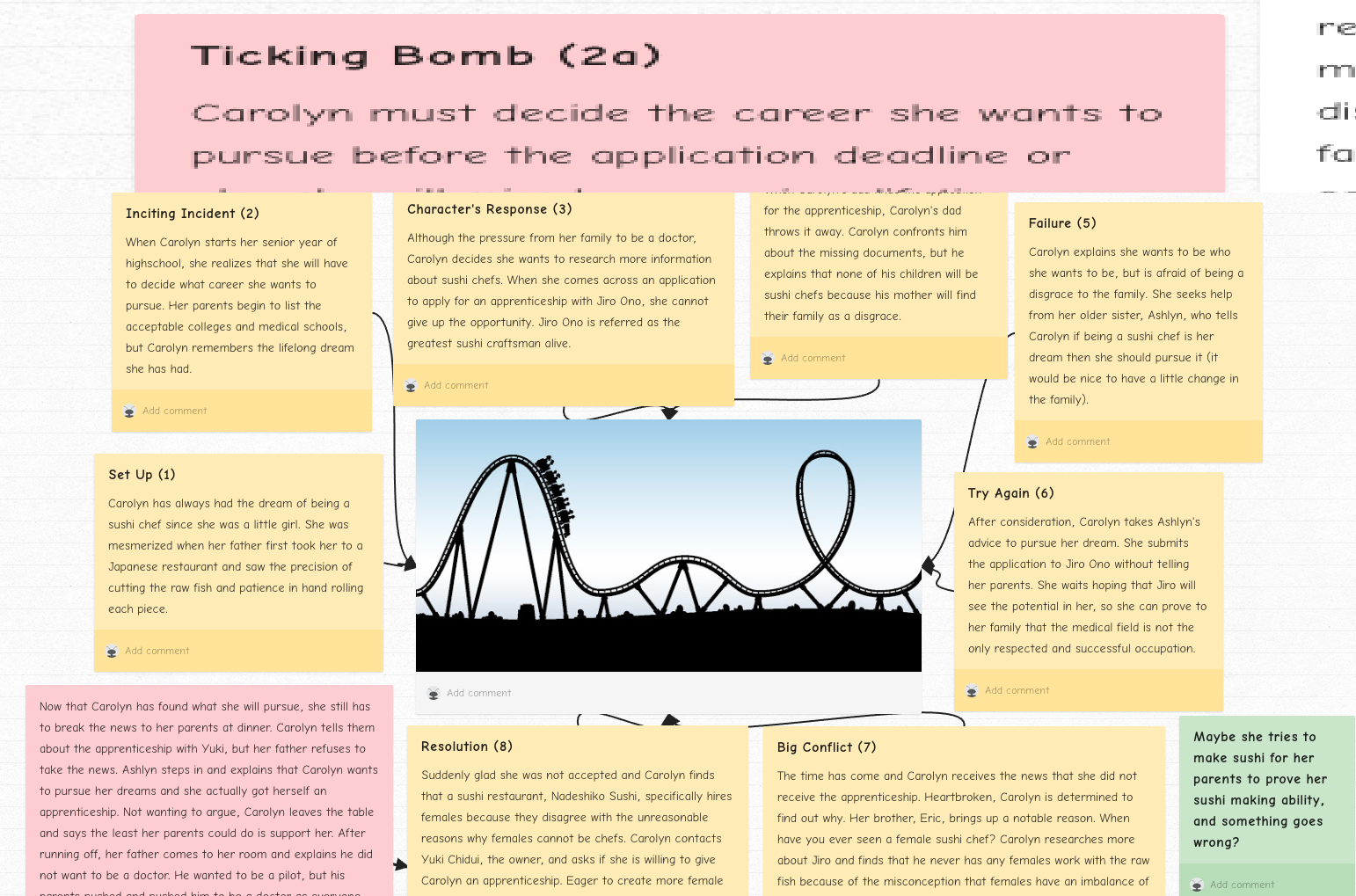
MS Students Use Padlet for Brainstorming
Librarian Wendy Wunder used Padlet to have 8th grade English students brainstorm about their story projects. She said, "I used Padlet as a platform for a week-long class on Brainstorming the 10-Page Short story. Padlet is so accessible and flexible that it enabled the students to easily share their thoughts and ideas. As 'digital natives,' they were very comfortable beginning their creative process using this digital tool. Using Padlet broke down some barriers to accessing their creativity. They jumped right to it. It was wonderfully collaborative. The other students and I could give them feedback on their ideas. It also supported multimedia, in that they could post photos, videos, songs, links and any media that could inspire their stories. The could shuffle their notes and paragraphs around to help them with structure. It could be a great platform to use in research papers as well. Each 'post' could replace a traditional note card...citations can link right back to online sources etc."
Here are links to a couple of their brainstorm padlets...
https://padlet.com/acwu/shortstory
https://padlet.com/tholland7/75sv8ma4fcrc
https://padlet.com/psegovia/u6g8gvs97qly

Here are links to a couple of their brainstorm padlets...
https://padlet.com/acwu/shortstory
https://padlet.com/tholland7/75sv8ma4fcrc
https://padlet.com/psegovia/u6g8gvs97qly
Wednesday, December 26, 2018
US Film Students Draw With Light
Upper School students in Mr. Gaines film & video course recently produced a series of still images in which they used shutter speed effects and Adobe software to draw with light. These images are currently on display as large prints in the hallway adjacent to the theater...
Wednesday, October 10, 2018
6th Graders Create Novel Displays
Ms. Huff's sixth grade students were challenged in small groups to create a way to display important parts of the novel Haroun and the Sea of Stories by Salman Rushdie. Each group took their own path on this challenge to bring to life an aspect of the novel. Students used the Design Thinking Process to generate an idea and guide them through the creation stages. They used various materials and tools available in the LS MakerSpace, ranging from hot glue guns, pom-poms, LED lights, laser etched images, and the 3D printer.
Friday, June 8, 2018
Ceramic Artist Students Wikis

EZ Sound with Coil Pots in 7th Grade
In the 7th-grade ceramics course, the final project ‘Music Meets Large Coil Pots,’ students created a pot or sculpture based on their favorite songs. We enhanced the project by adding an Arduino sound module to play the song which the artwork is based upon. Students recorded their chosen songs and created expressive cards stating why they chose their songs and how they illustrated them through their artwork.


Wednesday, April 25, 2018
Faculty Hub For Academic Support

Our goal in creating a Power School Page/Site entitled Faculty Hub For Academic Support was to create a central location for faculty to access information related to Academic Support Services. By using technology and asynchronous learning, we wanted to facilitate faculty engagement that might otherwise not happen. We wanted to create a resource that faculty could come to on their own time, as needed and when it worked for their schedule. We set out to provide resources regarding learning and development, diverse learning styles and approaches to respond to a range of learners.
The Launch Grant project included the generation and curation of information about terms, strategies, current research, relevant websites and TED talks. It also served as a central location to post useful documents and materials, such as how to interpret ERB scores. In addition, we have generated podcasts and screencasts on particular subject areas which faculty can listen to when the timing works for them. So far we have developed a podcast on Working Memory and a screencast on interpreting ERB test results. We hope to create a podcast about ADHD and its presentation in girls this spring/summer. The time needed to develop the podcasts was significant as we had to learn the technology and generate content and script on the topics. That said, we have learned a lot to now be able to more efficiently create future podcasts.
We expect the site to provide faculty greater access to support materials, to create a common understanding and shared language around learning and support, and to better coordinate efforts in addressing student needs.
Jamie Wallace
Monika Wilkinson
Learning Specialists
Monday, March 12, 2018
Technology at the Middle School
From the bbns website, March 12, 2018
Technology at the Middle School

MS science teacher Amy Carey with students
in the Maker Space.
in the Maker Space.
Tushar, William, Daniel, and Harrison walk into the Maker Space in the Carriage House. The last bell of the academic day has rung. It's mud week, so there are no sports this afternoon, and these eighth-grade boys have signed up to do a bit of computer design. Svetlana Grinshpan, Middle School Technology Specialist, and Amy Carey, Middle School Science Teacher, are waiting for them. Carey asks, "So you want to do some Raspberry Pi stuff? Have you ever done it before?"
None of the boys have worked with Raspberry Pi, but Harrison offers, "I've done stuff with Scratch, but not this."
One whole wall of the Maker Space is taken over by the Gardening Elective group's seedling trays and grow lights. On the far wall are shelves with bins containing every crafty item imaginable, including pipe cleaners, glue sticks, felt, glitter, paint, markers, and of course, googly eyes. At one large table, Carey is finishing setting up the materials and projecting instructions for building with the Rasberry Pi computer kit. At the other large table, Grinshpan has set up the materials to make light-up greeting cards, just in case any of the boys want to take a break from their work with the computer.
The Maker Space exists as both a physical space and as an idea. As a physical space, it has a central location and currently holds a variety of tools, craft supplies, beads, electronics, a 3-D printer, sewing machines, and others. As an idea, "maker" creates endless opportunities for creativity and problem solving, and promotes Design Thinking Mindset for the entire school.
The Maker Space is one of the Technology Department's latest initiatives, and it fits into the larger context of the philosophy of technology in the classroom at the Middle School. Demetri Orlando, Director of Information Technology at BB&N, is clear about technology's role as a support for student learning in the classroom. Rather than technology as an end in itself (and a distraction of bells and whistles), Orlando says, "We want student technology to be available for seamless use whenever and wherever it advances teachers' instructional goals. Under the direction of a skilled teacher, technology tools greatly expand the repertoire of what students can be asked to do. It supports basic educational processes such as researching, writing, and communication."
Since the Middle School officially became a one-one (laptop) school in 2017, all students certainly enjoy an easier transition between work at school and work at home. Just as technology opens pathways to student discovery, it also opens pathways of connection between teachers and students. All teachers have a PowerSchool webpage for each of their classes. These web pages are a hub of communication for assignments, supporting materials, showcases of student work, student-to-student support, teacher feedback on student assignments, and more.
Grinshpan, who joined the Middle school faculty in 2009, has worked closely with every department. She has, in fact, helped nearly every individual teacher to see the possible ways technology can enhance their teaching and further their goals for their students. Her comfort with her role as Technology Specialist, natural curiosity about all subjects, love of students, and patience with teachers has made her an integral part of the Middle School teaching team. Bill Rogers, head of the Middle School history department, sees that her support has revolutionized the way they approach the history curriculum.
"Svetlana comes to nearly all our history meetings and has been responsible for probably three quarters of what we do with tech. Her ideas of how to extend and improve projects have been key to our work. I do not exaggerate when I say she is the most important change in our Middle School staff in 20 years! She has knowledge, creativity, communications, and dedication."
Indeed, the history department has made profound revisions to their pedagogy and finds that technology is now an integral tool to their teaching. Students benefit. Rogers lists some of the innovations the department has initiated with the help of Grinshpan: "First, technology has influenced curriculum design. Students now blog for our websites. They create virtual trips, websites, wikispaces, and newscasts. Second, technology has allowed more drafts and easy manipulation of essay teaching, both central to history courses. Third, it has allowed more in-class access to information and short video examples for enrichment. Fourth, it allows teachers to communicate and students to submit work when they are missing school. Fifth, it allows students access to the whole history section when they have questions at home. Sixth, we can project anything important instantly to the whole class." Sasha Bergman, ceramics teacher, also sees that technology enhances her teaching. "I meet almost weekly with Svetlana to continuously push the edges of what is possible for technology to contribute to my ceramics classroom. She seems to constantly have her hands and mind involved in new possible ideas that she brings to me to try out."

Middle School Technology Specialist Svetlana Grinshpan.
All departments benefit from Grinshpan's expertise and innovative contributions. She is always looking for new ways to engage faculty in their own professional development by introducing tools and workshops that increase teacher skills. "Demetri and I share the same philosophy," Grinshpan says. "The best uses of technology in education are when it amplifies a student centered, project-based, constructivist approach to learning. I am very excited about the technology related curricular work MS faculty have been doing over the last couple years. A few summers ago, a group of MS teachers participated in RISD's Art & Tech conference, and another group spent a week exploring the concept of design thinking at NUVU Innovation School in Cambridge. An interesting focus of the faculty's work has been exploring the new approach to learning known as STEAM (Science, Technology, Engineering, Arts and Math). It is an interdisciplinary method aimed at helping students develop vital transferrable skills and learning across subjects, through experimentation, trial and error, and creativity. I love the projects that come out of this interdisciplinary approach to learning because they exemplify that the world is complex and messy. Problems cannot always be solved through knowledge of chemistry or physics alone. Integrating coding, electronics, 3D modeling into Arts adds new dimensions to students' expression and understanding."
The use of technology in the classroom will remain integral for the foreseeable future, and the available tools are constantly evolving. Orlando is forward-thinking about next steps and next phases about how it can enhance student learning. He says, "A one-to-one learning environment levels the playing field for all of our students. The Middle School faculty has spent significant time thinking about how students should take best advantage of digital tools and resources while building a positive culture of use. The role of technology is still the same. Technology supports learning, but the availability and reliability has significantly increased, allowing for more sophisticated and fluid use of these tools."
Meanwhile in the Maker Space, the boys settle into their stools at the table. Carey shows them some of the materials and helps them brainstorm a plan. "This is an old monitor we've taken apart. Here's the converter. We'll need a joy stick. Look at the screen to see how they explain the wiring over there, and next steps." Grinshpan crosses the Maker Space to sit with the students in order to observe as they get to work and, if they need it, to lend a hand.
Tushar checks out the projected instructions. "I'd be into that."
Check out the below links for some examples of technology in the classroom in the Middle School:
(Written by Betsy Canaday, MS English department.)
Thursday, February 22, 2018
Creating Latin American Website at the Middle School
Seventh grade students create an interactive Latin American Country website using Weebly. Their country pages include an historical overview with a photo collage of images set to music, an embedded map, an interactive map with “hot-spots” to provide more information about specific points of interests, and a game designed to teach and test others about their country. Here are a few examples:


Thursday, January 11, 2018
US Students in "Advanced Topics in Computer Science" Code in Machine Language
Upper School students explore coding languages in their Advanced Topics in Computer Science course. Through collaboration and curiosity, they build on their skills to complete a variety of projects including the video game Pong.
Advanced Topics in Computer Science on vimeo.
Tuesday, January 2, 2018
Grammar Website in the English Classroom
Grammar Website created entirely by the MS English Teachers (through the launch grant program) is a new and innovative approach to teaching and learning grammar. The site is a comprehensive writing resource for BB&N Middle School students. Students use the website to watch Parts of Speech grammar videos, review the definitions of the Parts of Speech and play Parts of Speech review games.


The Makey Makey Learns a New Language! - YEAR TWO!
In the second annual Makey Makey science project, 7th graders designed an interactive objects using a MakeyMakey kit. Touching different locations on the object complete a circuit and produce different sentences they are currently studying at the Middle School.

Art, Tech, & Math: Vinyl Cut Decals and 2D Tessellation Geometry Patterns on Pottery
Eighth grade students in Sasha’s Bergmann Wheel Pottery and Surface Design Class are learning tessellation patterning through a hands-on artistic application using the Silhouette Cameo printer and exploring a cutting-edge ceramics technology for glaze decoration. Each student designed a shape and printed the pattern repeatedly to create tessellation patterns on their decorative pottery.
Thursday, November 9, 2017
Library/Tech Classes Supporting Middle School Technology
At the beginning of the school year, the librarian and academic technology specialist provided a library orientation and taught information literacy and technology classes to all 7th and 8th graders. Our curriculum supports the middle school’s 1:1 laptop program and ensures that our students have the skills to succeed in our technology-enriched school environment. The program includes:


- MS Digital Community Culture & Rules
- helping students log onto their school online accounts
- exploring strategies for organizing online work (gmail, google docs, etc.)
- showing students how to access and use the MS library website and catalog
- an introduction to available print and electronic resources
- instruction on how to cite sources properly


Wednesday, November 8, 2017
Technology in English Classroom
"Two technology initiatives, facilitated by and co-developed with Svetlana Grinshpan, are now mainstays in the English curriculum. The first initiative is the To Kill a Mockingbird blog, which enables students to share their analysis of complex ideas in the novel. During the course of their reading, each student posts and comments several times. The blog not only enriches students’ dialogue about the novel, but it also creates a lasting resource as they need to pull those ideas together and organize them into a final essay. They are much better prepared for this final essay in terms of organization, crafting thesis statements and providing quotation for support as well.


The second initiative, The Outsiders Yearbook, has been adopted by most of the English department. Students “research” an assigned character thoroughly and create a yearbook page that demonstrates understanding of the complexity and nuance of that character. In addition to writing a short essay in that character’s “voice,” students dress as that character and use green screen technology to create yearbook-style photographs of that character. They compile their writing and photographs and create a layout of their work on a “yearbook page.” Students have great fun with the project, and it elevates their understanding of subtleties of characterization and motivation in the novel. "
Betsy Canaday, MS English Department Head
Tuesday, November 7, 2017
Wellness Wednesdays
This year Stefanie Haug, MS Counselor (called "Ms. Stefanie" by students) is piloting an artsy way to help kids explore parts of themselves and relax. It's a monthly drop-in activity in the Makerspace called "Wellness Wednesday." She already hosts with Nurse Joanna a weekly drop-in lunch, called Mindful Lunch, where students can chat and explore the ways their bodies and minds are connected and how to navigate stressful experiences that arise. Wellness Wednesdays is a monthly drop-in where kids can create things on a similar theme of mind-body and stress reduction.
The first of the monthly Wellness Wednesdays explored the power of positive messages and random acts of kindness. The new Head of School inspired the idea with her story of Kindness Stones. Building on that, Ms. Stefanie and Ms Grinspan, the MS Tech Specialist, led students to consider uplifting messages and how to display them on rocks. Over 15 students dropped in and decorated rocks with messages for friends, family and for the community. Strolling around the MS campus, you'll come across many rock 'pep talks' sprinkled around the building with messages like "you rock!"
Upcoming monthly crafts remain a surprise until the week they're announced.....however the next craft combines socks and sleep......to find out more, stop by the Maker Space on a Wednesday. The next Wellness Wednesday will be Nov 15th and then Dec 6th.
At the end of September, MS Maker received a much needed update to the space – installing a sink, cabinets, new workspace, and a better organized flow for students.

The first of the monthly Wellness Wednesdays explored the power of positive messages and random acts of kindness. The new Head of School inspired the idea with her story of Kindness Stones. Building on that, Ms. Stefanie and Ms Grinspan, the MS Tech Specialist, led students to consider uplifting messages and how to display them on rocks. Over 15 students dropped in and decorated rocks with messages for friends, family and for the community. Strolling around the MS campus, you'll come across many rock 'pep talks' sprinkled around the building with messages like "you rock!"
Upcoming monthly crafts remain a surprise until the week they're announced.....however the next craft combines socks and sleep......to find out more, stop by the Maker Space on a Wednesday. The next Wellness Wednesday will be Nov 15th and then Dec 6th.
At the end of September, MS Maker received a much needed update to the space – installing a sink, cabinets, new workspace, and a better organized flow for students.

Friday, May 19, 2017
LED Circuit Stickers in 2 D Art
In the last couple of years, students in Stephanie Moon’s Drawing and Painting Class art class combine traditional media with Chibitronics. Chibitronics was created by a Ph.D. student named Jie Qi from MIT who combined her passion for craft, art, and engineering and created a DIY manual and kit to that made circuits and LED light accessible to the public.
In class students explored the instantaneous pleasure of designing a circuit and making something light up. Students designed a project to incorporate LED lights within their semester-long drawing and painting exploration. The one requirement was that the drawing had to stand alone--it had to be as visually effective alone as with the circuitry enhancements.
In class students explored the instantaneous pleasure of designing a circuit and making something light up. Students designed a project to incorporate LED lights within their semester-long drawing and painting exploration. The one requirement was that the drawing had to stand alone--it had to be as visually effective alone as with the circuitry enhancements.
Tuesday, March 14, 2017
Kahoot! and other games in the curriculum
Playing a Kahoot! game is a very popular MS classroom activity. Students and teachers create games in world languages, music and science. Kahoot! is a web-based tool that allows asking a consecutive, quiz-show type questions using a game-based format. Students respond by joining a game through a unique number using any mobile device.
A list of other teacher's favorite classroom games:
A list of other teacher's favorite classroom games:
- Quizlet Live - create a collaborative classroom game
- Socrative is a student response system that works across all devices. Teachers can ask a number of different question types and gather student data for formative assessment.
- TinyTap - create fun games, personalized puzzles, question and answer activities, turn reading a book into an interactive activity, make a tappable sound boards.
- Quia - an online platform to create quizzes, games, and assignments online. There are wide range of games: flashcards, matching, challenge board, hangman, rags to riches, pop-ups and more. Examples of student created 7th grade games in history:
Subscribe to:
Posts (Atom)