Ms. Huff's sixth grade students were challenged in small groups to create a way to display important parts of the novel Haroun and the Sea of Stories by Salman Rushdie. Each group took their own path on this challenge to bring to life an aspect of the novel. Students used the Design Thinking Process to generate an idea and guide them through the creation stages. They used various materials and tools available in the LS MakerSpace, ranging from hot glue guns, pom-poms, LED lights, laser etched images, and the 3D printer.

Showing posts with label LS. Show all posts
Showing posts with label LS. Show all posts
Wednesday, October 10, 2018
Thursday, June 21, 2018
Kindergartners Build EcoSonic Playground
Ever since 1999, Lower School music teacher Sara Zur had been dreaming of creating a musical play space for kids that would open their imaginations and foster a love of music. During travels in England and Israel, Zur had witnessed sound installations and melodic play areas, including a junkyard in Israel that transformed everyday waste objects into a learning opportunities for children.

“There was something about playing with everyday objects that seemed to make kids be extra musical,” Zur says. “There is a collaborative element, and a stretching of the imagination that can’t be duplicated with regular instruments.”
Made from recycled materials, an EcoSonic playground is essentially a large, unique, music-making structure intended to promote collaborative play. Building one includes a curriculum component for elementary schools to teach students STEM skills through lessons in acoustics, physics, engineering, and design as they work with educators to build the structures themselves.
Zur, who holds a doctorate in musical play, quickly contacted her colleague Elissa Johnson-Green, a music professor at Umass Lowell, who heads up an EcoSonic team comprised of professors and graduate students. Over the course of the year, the EcoSonic team and Zur met regularly with the kindergartners to design and implement the play space. This didn’t just involve the nuts and bolts of putting the playground together.
The students studied sound vibrations in Carol Fine’s science class, and tested different materials with Lower School technology integration and makerspace mentor Mickey Hardt. They drew up designs in their homeroom, and, of course, they studied music proper with Zur.
Finally, this spring, the project came together when the musical playground was unveiled during the last week of school. PVC pipes, an old vacuum cleaner hose, a bike tire, and countless other everyday objects had been pulled together to create BB&N’s EcoSonic playground.
“There is this drumming thing, and there is a tube that you can listen to like a headphone, and you can hear everything, except the sound is smaller,” explains kindergartener Ryan McCullough excitedly. “But designing it was even more fun than playing it, because when you are designing it, you get to play with more people.”
The final result has been an EcoSonic playground that sounds at turns beautiful, cacophonous, and vibrant—but above all else, fun!


Tuesday, October 31, 2017

Sunday, November 6, 2016

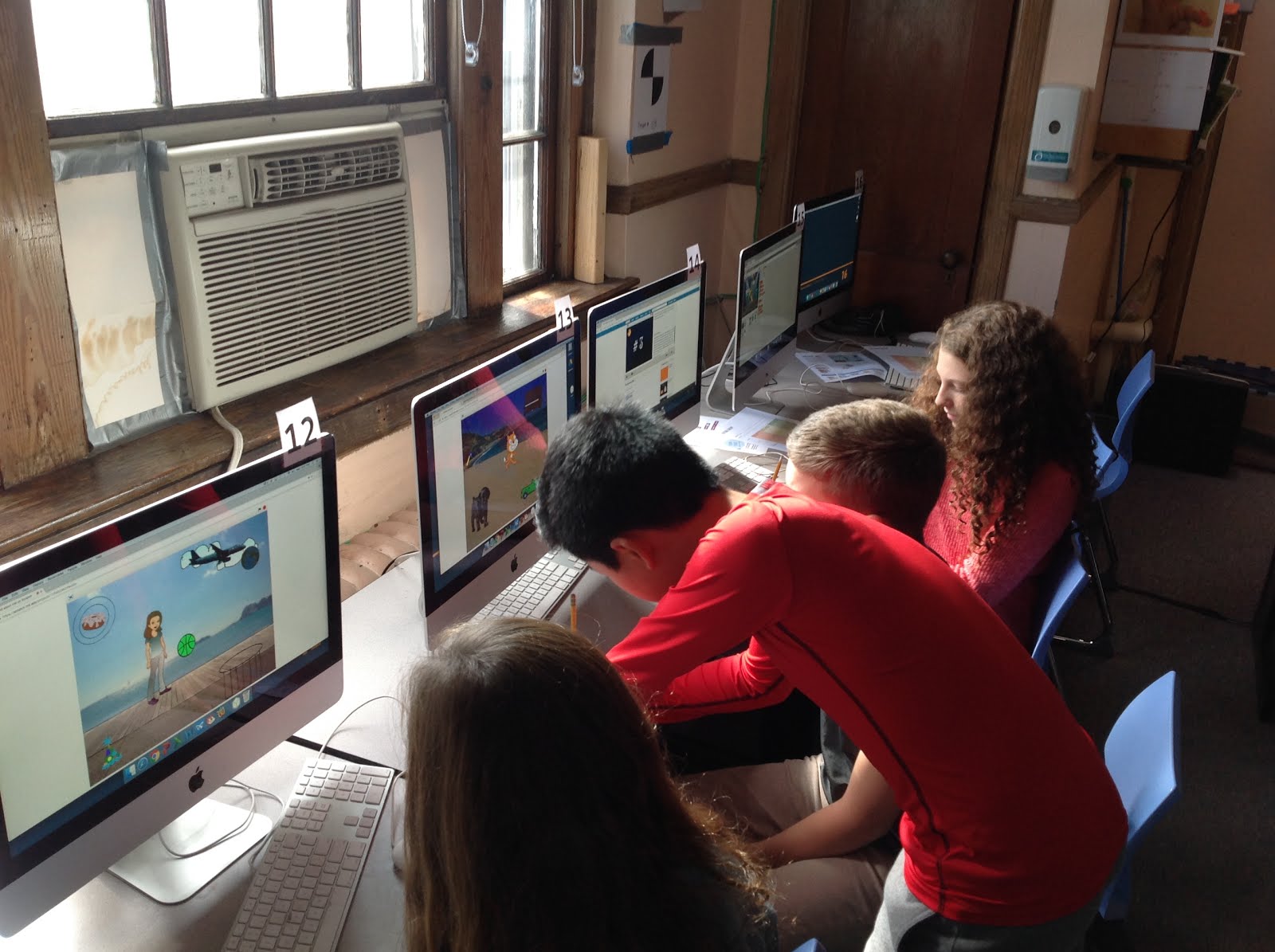

2nd Grade Robot Day
Using Scratch and Legos, 2nd graders design, build and program their own robotic creations.


Saturday, November 5, 2016
Thursday, October 6, 2016

Thursday, September 22, 2016
LS AfterSchool Engineering Class
 One of the new offerings in the AfterSchool Programs this year is a "STEAM Team" class taking place Tuesday afternoons in our new maker-space. This after school class is exploring a variety of engineering challenges and principles. "STEAM" classes give students experience with challenges that integrate disciplines of Science, Tech, Engineering, Art, & Math. To date, students have explored expanding spheres, and strategies of building and launching a hand-held catapult.
An upcoming unit will focus on robotic bugs constructed with vibration motors and button batteries.

Sunday, June 26, 2016
Cris West & Marissa Clark LS Launch Grant: Pre-K Digital Portfolios
Marissa and I applied for a Launch Grant to spend the year determining the best platform to help us create digital portfolios for each of our students. Our goal was to pilot something that could easily be used by all classroom teachers and Specialists in the Lower School.
Portfolio entries are currently kept in binders in the classroom and the children can access them anytime. We wanted to keep this same format with the digital portfolio, putting greater emphasis than before on making the student work come alive. We wanted to focus on the "child as documenter" and find appropriate technology for them to capture their own work and reflect on it.

One of our successes is finding much ease in using the Pages app and it's templates. Moving away from using MS Word, Pages affords us easier ways to format and layout portfolio entries in a functional and aesthetically pleasing way. One challenge that we are still faced with is the use of Haiku as the platform to digitalize our portfolios. We decided on using and exploring Haiku as a way to digitalize our portfolios because it is already an existing app that parents log into weekly and our Lower School faculty is using it as well. We think it will have the best chances at getting the most "foot traffic." Specialists will also be able to easily access each child's page and include content as well. In the process, we found loading portfolio entries into Haiku cumbersome to do. Uploading each file in each child's digital folder in was a multi-step process that required a lot of teacher time. Moreover, we continue to question whether children will want to look at their portfolios if they are digitalized vs. if they are hard copies on binder.
As we continue to work on this, we hope to continue working with children in reflecting on their work through their own documentations using the Seesaw app and/or Blogger Jr.. As this becomes a practice we hope to devise a system or a flow that children can easily engage in and become fully independent.
Portfolio entries are currently kept in binders in the classroom and the children can access them anytime. We wanted to keep this same format with the digital portfolio, putting greater emphasis than before on making the student work come alive. We wanted to focus on the "child as documenter" and find appropriate technology for them to capture their own work and reflect on it.

One of our successes is finding much ease in using the Pages app and it's templates. Moving away from using MS Word, Pages affords us easier ways to format and layout portfolio entries in a functional and aesthetically pleasing way. One challenge that we are still faced with is the use of Haiku as the platform to digitalize our portfolios. We decided on using and exploring Haiku as a way to digitalize our portfolios because it is already an existing app that parents log into weekly and our Lower School faculty is using it as well. We think it will have the best chances at getting the most "foot traffic." Specialists will also be able to easily access each child's page and include content as well. In the process, we found loading portfolio entries into Haiku cumbersome to do. Uploading each file in each child's digital folder in was a multi-step process that required a lot of teacher time. Moreover, we continue to question whether children will want to look at their portfolios if they are digitalized vs. if they are hard copies on binder.
As we continue to work on this, we hope to continue working with children in reflecting on their work through their own documentations using the Seesaw app and/or Blogger Jr.. As this becomes a practice we hope to devise a system or a flow that children can easily engage in and become fully independent.
Thursday, June 2, 2016
Beginners Blogging
In our Beginners (preK) classroom the students are blogging! Here is an excerpt from a recent post:

And here is some information about how and why 4 year olds blog:


(click to enlarge)
And here is some information about how and why 4 year olds blog:
Check out this PDF to read more about it...
Tuesday, February 24, 2015
Family Science Saturday Is a Maker Extravaganza!
[Reposted from http://www.bbns.org/page.cfm?p=782&newsid=214]
 The winter Family Science Saturday held last week centered around inventing and tinkering in order to solve problems, learn how things work, and create.
Beginners through sixth grade students were able to visit seven stations and try various challenges. The stations were staffed by the Lower School science and technology department, as well as by four Upper School students – Sophia Scanlan '18, Tali Sorets '16, Claudia Inglessis '18, and Ethan O’Reilly '16. Parents were asked to let their children take the lead, rather than jumping in to make the project work or work better.

The Lower School students had a chance to useMakeyMakeys to type by touching fruits and vegetables or play a keyboard by touching play dough. They also created structures with marshmallows and spaghetti, and one structure was even strong enough to support a block! Other great activities included building cardboard structures, electric greeting cards, wind-up cars, and bristle bots.
Friday, October 10, 2014
5th Grade Technology- 'Out of Eden Learn' Footstep #2

Below are the activities students participated in for Footstep #2: Create a Neighborhood Map
Part 1- Engage with Paul's Journey
First students explored where Paul has walked so far since January 2013 by looking at the map room on the National Geographic Out of Eden Walk website.
Next they explored 3 different Milestones of their choice from the Out of Eden Walk website.
Part 2- Create a Neighborhood Map
Students were invited to think about their own relationship to a place and were given a chance to share more about themselves with other participants by sketching a map of their neighborhood as they see it their their eyes.
They then wrote a true story to go with their map. Their story could have involved:
- The whole map or one special place that was featured on their map.
- A memory of something that happened to them when they were younger in one of the places on their map.
- A typical day in their life that featured places marked on their map.
- A story about their neighborhood that they had heard from someone else – it could be a story that happened before they were born.
- How their neighborhood had changed over time.
Part 3- Interact with Your Walking Partners
They browsed through other people's maps and stories.
They browsed through other people's maps and stories.
They chose one person who was not from their class, looked at his/her map carefully and thought about: What catches your eye and makes you want to learn more? What is interesting or thought provoking about the map and its story? Then they wrote a response that involved "snipping" that is, copying a phrase, sentence or section of what the person wrote that caught their attention and pasting it into the comment box. Then they asked a question about what they chose to snip, or said what they found interesting or important about it, making their comment as detailed as possible.
Lastly, they returned to their own map and previous posts, responding to anyone who left a message for them last week, trying to carry on the conversation.
Lastly, they returned to their own map and previous posts, responding to anyone who left a message for them last week, trying to carry on the conversation.
Friday, October 3, 2014
5th Grade Technology- 'Out of Eden Learn' Footstep #1

5C are partnered with schools in: Listowel, Ontario, Canada; Buffalo Grove, Illinois, USA; Richmond, Virginia, USA; and Honolulu, Hawaii, USA.
5M is partnered with schools in: Listowel, Ontario, Canada; Buffalo Grove, Illinois, USA; Albuquerque, New Mexico, USA; Seattle, Washington, USA.
Below are the activities students participated in for footstep #1:
Footstep #1: Setting Off
Part 1- Engage with Paul’s Journeylistened to a welcome message from Paul, recorded in Turkey in August, 2014.
watched a video in which Paul explains why he is taking a 7-year walk around the world
read an article, called a dispatch, by Paul on the National Geographic Out of Eden Walk website: Sole Brothers
and responded to a quick survey, answering What caught your attention or interested you about Paul's article? What questions or wonders do you now have?
Part 2- Setting Off
picked an avatar
and wrote a few sentences about themselves: Write a few lines about yourself and describe three things that you enjoy doing. What's the story behind your choice of avatar? What do you find most interesting or exciting about Paul's walk from what you have learned about it so far? Is there anything in particular you would like Paul to look out for or pay attention to as he walks?
Part 3- Interact with your walking partners
read others' posts
left detailed comments and questions for three students who were not in their class
responded to any comments or questions other students left for them
Monday, April 21, 2014
4th graders part of a world wide Scratch project

At a meetup this past winter, I met a teacher who linked to a World Music project page which includes songs from students in many parts of the globe. This has been a wonderful way to link students from many backgrounds and to help promote world peace.
BB&N 4th grade students learned a song in English and Swahili called, "Together", made a recording and they are now included in the project. Fly over the world and have the dove descend over Boston and you will find us!
Debbie Slade, LS Music
Thursday, March 6, 2014
The "Hour of Code" at the Lower School: Programming in the Classroom

Kindergarten used the BeeBot, a programmable robot, in literacy in January.
In December, 2nd graders completed the first hour of code on the code.org website. In January and February they did also used the LightBob app and the BeeBot app. After March break they plan to create math word problems in MIT's Scratch programming environment.
During several technology classes this winter, 4th, 5th, and 6th graders also used the code.org website, creating online accounts so they could continue their progress at home if desired. 4th graders have been learning Scratch as well and are now learning how to use Scratch with the LEGO WeDO kits' sensors and motors.
5th graders will spend their spring trimester in the technology lab learning how to program in LOGO, an educational programming language (in fact, the first programming language for children) originally designed in 1967.
6th graders have been spending a lot of their time in the technology lab exploring the new online Scratch 2.0 programming environment. They are currently working on programming challenges from the Creative Computing Curriculum Guide, a design-based introduction to computational thinking.
Friday, February 28, 2014
5th Grade word textbooks and PowerPoint presentations
During the months of January and February, 5th grade students learned the ins and outs of the Microsoft Word software while creating textbooks. They learned how to edit the font size and style, insert page numbers, create columns by inserting tables, and adding images with captions as well as a bibliography.
Earlier in the year the 5th grade students similarly learned the ins and outs of PowerPoint, creating slides, inserting images, adding transitions, and experimenting with animations.
Earlier in the year the 5th grade students similarly learned the ins and outs of PowerPoint, creating slides, inserting images, adding transitions, and experimenting with animations.
Friday, December 20, 2013
6th Grade app fluency

Below are some articles on app smashing:
The History 2.0 Classroom: App Smashing Part I
Edudemic: How to use 'App Smashing' in Education
Unleashing Creativity
Tech Chef's App Synergy: The Art Form of App-Smashing
Beth Holland on App Smashing by Greg
Tuesday, November 19, 2013
4M Environmental Unit Glogster Poster
4th graders are in the technology lab right now creating glogster interactive online posters for their social studies environmental unit. There is a lot of buzz and excitement in the room as students look at pictures of hybrid cars and graphs about space debris, watch videos on GMOs and organic foods, conduct research on websites for organizations such as National Geographic and the National Resource Defense Council, and discuss how to present information on topics such as endangered species, deforestation, alternative energy, extreme weather, climate change, factory farming, and marine debris.
Friday, June 7, 2013
Launch 2012-2013: Second Grade Nooks
Objective: To encourage reluctant readers to read during 15-minute “SSR” time each day after lunch.
Set up:
1) I allocated a desk drawer for Nooks to be kept.
2) I gave instructions as to how Nooks should be handled.
3) I explained Nook basics:
Turning the Nook on/off
How to navigate to the classroom library
Explained that Nooks are to be used for reading books only
(no on-line games or web browsing)
2) I gave instructions as to how Nooks should be handled.
3) I explained Nook basics:
Turning the Nook on/off
How to navigate to the classroom library
Explained that Nooks are to be used for reading books only
(no on-line games or web browsing)
Weeks 1-4: Teacher selected individuals to use Nooks during SSR
Observations:
Constant questions:
Colin: “When will I get a turn?”
Pablo: “So-and-so has had it for three days in a row!”
Teddy: “Can I have it after so-and-so?
Observations:
Constant questions:
Colin: “When will I get a turn?”
Pablo: “So-and-so has had it for three days in a row!”
Teddy: “Can I have it after so-and-so?
Weeks 5-9: Teacher posted a sign-up sheet for Nook use
Frequent comments/questions:
Advantages to this format are:
Frequent comments/questions:
Alex: “Fotis signed up twice in one week!”
Fotis: “That’s because I traded with Sam and Sam forgot to erase my name!”
Alisa: “Ms. Peterson, I notice that Sam signed up three times this week.”
Sam: “That’s because we didn’t have SSR on two of those days, so I had to sign up a third time!”
Fotis: “That’s because I traded with Sam and Sam forgot to erase my name!”
Alisa: “Ms. Peterson, I notice that Sam signed up three times this week.”
Sam: “That’s because we didn’t have SSR on two of those days, so I had to sign up a third time!”
- Everyone would have an opportunity to use the Nooks.
- Students would be exposed to a different media type (magazines).
- Less time settling disputes over scheduling of the Nooks!
Subscribe to:
Posts (Atom)