links to tags

Filter by: LS     MS     US     Tech in the Classroom     Launch Projects


Showing posts with label QRcodes. Show all posts

Wednesday, February 20, 2019

US French Students Create Audio Gallery Using Vocaroo

When Upper School French teachers Cécile Roucher-Greenberg and Candie Sanderson began outlining plans for the museum gallery of French artists that their AP class puts together each year, they were hoping to find a twist to enhance the project.
"Candie was terrific and found 'Vocaroo,' a website that let students record their voice, save it on the internet, and use a QR code for others to listen to with any cell phone QR reader app," Roucher-Ggreenberg explains.
The result was an audio-guide to comment on the various French arts displayed in the two teachers' classrooms.

"Each student chose a piece of art, recorded a comment/analysis, printed the QR code and brought it to class along with a print/reproduction of the chosen art."
Students from all French levels enjoyed the experience, roaming the classroom "galerie," scanning the QR codes, and experiencing a peer-led exposition of the art via their phones or mobile devices. 

Monday, March 13, 2017

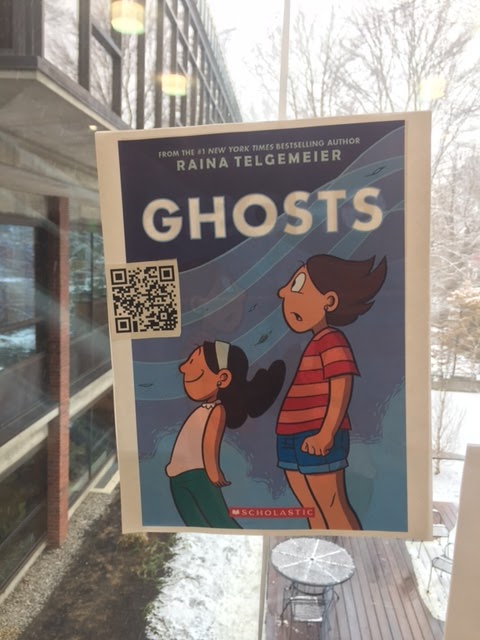
QR Codes Book Display in Middle School LLC

Want to find good books to read over break? The Library Learning Commons (LLC) faculty has created QR code book displays in the first floor foyer window display. QR codes consist of black squares arranged in a square grid on a white background, which can be read by the QR reader app on a smart phone or iPad. A QR code is really just a website URL, but it allows phones, iPads, and other mobile devices to easily pull up the website by scanning it with the camera, rather than needing to type in a long URL. This makes it easier to bring a visitor to a website to get more info.

To read the QR codes:


Monday, April 2, 2012

6th Grade Glogster and QR Code project

Glogster is a tool that allows your students to make interactive online posters by mixing images, text, music and video.

This year the 6th grade French and Spanish students are using Glogster to complete their MFA ACTion (Arts, Culture, and Technology) projects. All students visit the MFA, and in art class they choose a painter and a painting for a master study.  In French and Spanish classes the students research their painters and paintings to create interactive online posters. Using Glogster, students are able to embed video clips and insert images of their artists and their paintings as well as audio clips of music from the artists' time periods.  Lastly, students can use Glogster to record their own voices in their target languages.  Each glog results its own unique URL.  During technology class, students will turn their URLs into QR codes, and on Sunday, May 13th, the student paintings will be hung on the MFA walls along with the QR codes linking the students' physical artwork to their interactive glogster posters, accessible online via iPads and smartphones.

Below are a few examples of student projects:

If you are interested in learning more about Glogster in the classroom, check out Glogopedia to see sample projects to get ideas on how Glogster could be useful to your students.

For more information on QR codes in the classroom, please see: