In the 7th-grade ceramics course, the final project ‘Music Meets Large Coil Pots,’ students created a pot or sculpture based on their favorite songs. We enhanced the project by adding an Arduino sound module to play the song which the artwork is based upon. Students recorded their chosen songs and created expressive cards stating why they chose their songs and how they illustrated them through their artwork.
Showing posts with label 7th grade. Show all posts
Friday, June 8, 2018
EZ Sound with Coil Pots in 7th Grade
In the 7th-grade ceramics course, the final project ‘Music Meets Large Coil Pots,’ students created a pot or sculpture based on their favorite songs. We enhanced the project by adding an Arduino sound module to play the song which the artwork is based upon. Students recorded their chosen songs and created expressive cards stating why they chose their songs and how they illustrated them through their artwork.
Thursday, February 22, 2018
Creating Latin American Website at the Middle School
Seventh grade students create an interactive Latin American Country website using Weebly. Their country pages include an historical overview with a photo collage of images set to music, an embedded map, an interactive map with “hot-spots” to provide more information about specific points of interests, and a game designed to teach and test others about their country. Here are a few examples:
Tuesday, January 2, 2018
Grammar Website in the English Classroom
Grammar Website created entirely by the MS English Teachers (through the launch grant program) is a new and innovative approach to teaching and learning grammar. The site is a comprehensive writing resource for BB&N Middle School students. Students use the website to watch Parts of Speech grammar videos, review the definitions of the Parts of Speech and play Parts of Speech review games.
The Makey Makey Learns a New Language! - YEAR TWO!
In the second annual Makey Makey science project, 7th graders designed an interactive objects using a MakeyMakey kit. Touching different locations on the object complete a circuit and produce different sentences they are currently studying at the Middle School.
Tags:
7th grade,
bbnClassroom,
MakerSpace,
MakeyMakey,
MS,
science
Wednesday, November 8, 2017
Technology in English Classroom
"Two technology initiatives, facilitated by and co-developed with Svetlana Grinshpan, are now mainstays in the English curriculum. The first initiative is the To Kill a Mockingbird blog, which enables students to share their analysis of complex ideas in the novel. During the course of their reading, each student posts and comments several times. The blog not only enriches students’ dialogue about the novel, but it also creates a lasting resource as they need to pull those ideas together and organize them into a final essay. They are much better prepared for this final essay in terms of organization, crafting thesis statements and providing quotation for support as well.
The second initiative, The Outsiders Yearbook, has been adopted by most of the English department. Students “research” an assigned character thoroughly and create a yearbook page that demonstrates understanding of the complexity and nuance of that character. In addition to writing a short essay in that character’s “voice,” students dress as that character and use green screen technology to create yearbook-style photographs of that character. They compile their writing and photographs and create a layout of their work on a “yearbook page.” Students have great fun with the project, and it elevates their understanding of subtleties of characterization and motivation in the novel. "
Betsy Canaday, MS English Department Head
Tags:
7th grade,
8th grade,
bbnClassroom,
English,
MS
Tuesday, March 14, 2017
Kahoot! and other games in the curriculum
Playing a Kahoot! game is a very popular MS classroom activity. Students and teachers create games in world languages, music and science. Kahoot! is a web-based tool that allows asking a consecutive, quiz-show type questions using a game-based format. Students respond by joining a game through a unique number using any mobile device.
A list of other teacher's favorite classroom games:
- Quizlet Live - create a collaborative classroom game
- Socrative is a student response system that works across all devices. Teachers can ask a number of different question types and gather student data for formative assessment.
- TinyTap - create fun games, personalized puzzles, question and answer activities, turn reading a book into an interactive activity, make a tappable sound boards.
- Quia - an online platform to create quizzes, games, and assignments online. There are wide range of games: flashcards, matching, challenge board, hangman, rags to riches, pop-ups and more. Examples of student created 7th grade games in history:
Monday, March 13, 2017
Creating a Timeline in the Latin American Classroom
Seventh graders used our new maker-space to create Latin American timelines. These multi-colored timelines cover their country’s history from colonization through modern times and have the following requirements:
- The timeline must be to scale
- The timeline must have a key to show scale measurements
- Years should be listed on the timeline at regular intervals
- A list of 15-20 important dates in the history of your country must be included
- Include extras to enhance your timeline’s appearance (drawings, pictures, etc.)
QR Codes Book Display in Middle School LLC
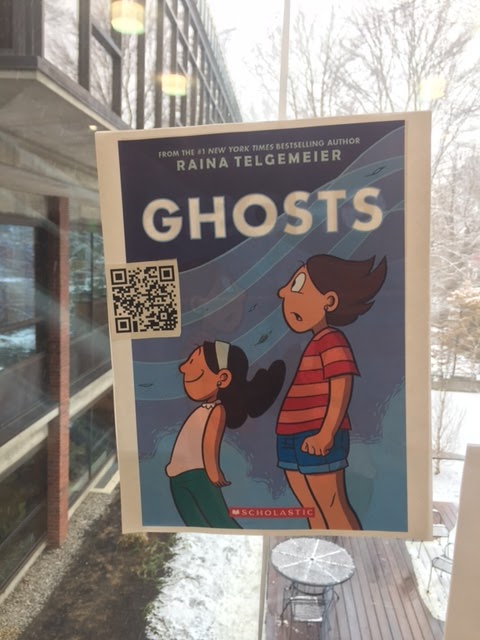
Want to find good books to read over break? The Library Learning Commons (LLC) faculty has created QR code book displays in the first floor foyer window display. QR codes consist of black squares arranged in a square grid on a white background, which can be read by the QR reader app on a smart phone or iPad. A QR code is really just a website URL, but it allows phones, iPads, and other mobile devices to easily pull up the website by scanning it with the camera, rather than needing to type in a long URL. This makes it easier to bring a visitor to a website to get more info.
To read the QR codes:
- Download QR Reader for the Phone app to your Phone
- Scan the QR code with your phone to read a review from Goodreads
Friday, December 9, 2016
The Makey Makey Learns a New Language!
In the 7th Grade Science classroom students designed an interactive object using a MakeyMakey kit. Students were asked to create different locations on the object, where by touching will complete a circuit and produce distinct sentences in the language they are currently studying at the Middle School.
Tags:
7th grade,
bbnClassroom,
MakerSpace,
MakeyMakey,
MS,
programming,
Scratch
Tuesday, November 22, 2016
Use of Padlet at the Middle School
Padlet is a virtual wall, it works like an online sheet of paper where students and teachers can put any content (e.g. images, videos, documents, text) anywhere on the page and from any device. Key features include customizing the wall and the background; choosing how the posts appear on the wall; setting up privacy settings
At the MS teachers use Padlet in Advisory as a way of getting feedback about various units. For example, here is the teacher feedback on 7th Grade Orientation 2016-2017
More Ideas for using Padlet in the Classroom:
Students in Sasha's Bergmann Dinnerware and Wheel classes uploaded their photos and inspiring quotes to the class Padlets Dinnerware Hump Mold Set Project and Wheel: Cylinder Project
- Use it as a portfolio to share with parents. Snap pictures of student work and share them.
- Have students sort pictures on Padlet to classify them
- Use it as a class back channel and have discussions on it.
- Have students work a problem, and snap a picture of how they worked it.
Friday, October 28, 2016
MS English Launch Grant Project - Year 2
Middle School teacher Betsy Canaday did a launch grant during the 2015-2016 school year to explore ways technology can help students understand the complexity of the characterization in one of the novels within the curriculum. This novel, The Outsiders, is a story about high schoolers in the 50's. Ms. Canaday wanted students to explore physical and emotional characterization in today's tech setting, using social media and online communication. Her original project blog post is here.
I asked Betsy to reflect on her experience doing The Outsiders project again this year " The Outsiders project was even better the second year. The modification of using Google Doc to create the page template was much easier. It made for a seamless way for students to share with each other and me. I was really pleased that Zoe and Ethan joined in to do this project, too. They reported that it went really well - tons of fun for the kids. Next thing we need to focus on is how to improve the writing portion of the project. Below are the published flipbook projects"
7th grade Country Research Project
Second session of the Library Learning Commons Information Literacy Curriculum corresponds to beginning of country research project for the 7th graders. During the library classes students are introduced to the Latin American Research Page and all the digital and print resources available for their project.
In class they have an opportunity to learn:
- how to access and use the MS library website and catalog
- how to cite sources properly
- review Academic Honesty Policy and copyright law
- build a bibliography using Easybib including the following resources:
- website using webpath express
- digital image http://www.creativecommons.org

Tags:
7th grade,
bbnClassroom,
MS,
resources,
technology integration
Thursday, October 27, 2016
Museum of Science Field Trip
Early in October, 7th grade students & advisors went on a new field trip to the Museum of Science, a new initiative funded through the Urban Connections Grants program and lead by Kelley Schultheis, MS Science Teacher and Gus Means, MS Math Teacher. The goal of this grant is to develop science understanding while also building community, both within the Middle School and between the three campuses. Field trips to the museum are the first step to allow students to work with their homerooms and develop problem-solving and collaborative skills.
Here is the short video created by Ms. Schultheis, an overview of the trip we showed the students before the field trip of what they would do at the museum:
Klikaklu - Scavenger and treasure Hunt app can be downloaded from the iTunes store

Here is the short video created by Ms. Schultheis, an overview of the trip we showed the students before the field trip of what they would do at the museum:
Klikaklu - Scavenger and treasure Hunt app can be downloaded from the iTunes store
Thursday, October 13, 2016
Going Paper-Free as Grade Dean
The following are the launch grant goals from Miles Billings, MS 7th Grade Dean:
- Find ways to consolidate all 7th student data into neat, organized, searchable files for faculty (and advisors) to access at all times.
- Let this pilot of data consolidation serve as a model for other grade deans to adapt and adopt overtime.
- Delineate those data between what is to be public and what is to be confidential, establish more clear policy around that.
- Make all parent call sheets (filled out three-four times per year on handwritten paper) to be completed online and paper-free within the same individual student files. This project is big enough that it may require a two year pilot on my end to make it all work.
Since becoming 7th Grade Dean in 2011-2012, I have sought to be as organized as possible given my yearly charge of over 80 students. Paper organization has never been a strong suit of mine yet I have reluctantly accumulated shelves full of three ring binders over the last ten years at BB&N. I realized that the most efficient way to capture all of these student data, and to keep it organized and easy to sort through, would be to go paperless as Grade Dean. Not an easy task and would also require the help of our entire Middle School faculty.
Our investment in Google Apps has made this possible but, the ultimate goal of complete paperless-ness is yet to be obtained. I would say I am 90% of the way there. Here is what we have transferred from paper to electronic over the years:
Many of these listed items are not all my doing. Most, in fact, require the help and support of at least part of, if not the whole, Middle School faculty. There are still a few items which I am attempting to address this academic year, and again need the support of certain key members within the faculty. These are:
In the end, going paperless gives me peace of mind that knowing that I can easily find documents from this year, or years past, and can easily share and collaborate on student data with the whole Middle School faculty.
Miles Billings
History Teacher
7th Grade Dean
Our investment in Google Apps has made this possible but, the ultimate goal of complete paperless-ness is yet to be obtained. I would say I am 90% of the way there. Here is what we have transferred from paper to electronic over the years:
- All incoming student notes from the Lower School and admissions
- All matching of students to advisors and homerooms
- All current student notes, updated throughout the year, in the form of a commonly shared Google Sheet which is then passed on to the 8th grade team at the end of the year.
- All parent communication data from advisors to home
- All faculty meeting notes and presentations regarding current students
- All academic grades and comments
- All Weekly Reports assigned to particular students by the Student Support Team
- All Middle School mix faculty chaperone sign ups
Many of these listed items are not all my doing. Most, in fact, require the help and support of at least part of, if not the whole, Middle School faculty. There are still a few items which I am attempting to address this academic year, and again need the support of certain key members within the faculty. These are:
- 7th grade detention write ups: done on Google Form by student, submitted online
- Club and after school program rosters, consolidated and easily accessed by faculty
In the end, going paperless gives me peace of mind that knowing that I can easily find documents from this year, or years past, and can easily share and collaborate on student data with the whole Middle School faculty.
Miles Billings
History Teacher
7th Grade Dean
Friday, September 23, 2016
MS English Launch Grant Project - Publishing Using FlipSnack
Middle School teacher Betsy Canaday did a launch grant during the 2015-2016 school year to explore ways technology can help students understand the complexity of the characterization in one of the novels within the curriculum. This novel, The Outsiders, is a story about high schoolers in the 50's. Ms. Canaday wanted students to explore physical and emotional characterization in today's tech setting, using social media and online communication. Her write-up of this project follows...
In Middle School English we are always looking for new ways to help students to connect with the reading. A favorite book in our English curriculum is The Outsiders by S. E. Hinton. The book, as many of you will remember, has a rich character list of high school students who clash and connect according to their class status, the Greasers and Socs. Inspired and helped by Svetlana Grinshpan, we developed an end-of-unit project, The Yearbook. We first looked at archived Browne and Nichols and Buckingham yearbooks from the fifties, which was great fun. (They saw how the students have changed (or not) and how the buildings have changed (or not.) Students then created a yearbook page for their assigned character, which they complied into their own yearbooks.
Each student had to write a formal “goodbye” in the voice of
the character that expressed that character’s perspective, wishes,
frustrations, etc.
They also had to include a list of clubs and activities the
character would be likely to have attended (car maintenance, sunset watching,
peace negotiation, etc.) and what their future plans would be after graduation.
The piece of the project that was most engaging to students
was the photographs. Each page needed to
include a formal portrait of their character (the students in costume) and a
“candid.” For the candid students
employed the green screen and Photoshop in order to place their characters in a
school hallway, or park, or church on a hill, etc.
Once each page was complete, the student groups assembled
their pages into a yearbook, complete with title, table of contents, front and
back covers.
The yearbooks were handed in digitally and we made them into
books using FlipSnack and posted them on our Haiku sites.
Examples of yearbooks linked here:
The project was great fun, but more importantly, the
students really had to dig into their character and his/her role in the novel,
use textual evidence to support their ideas, write coherently in the
characters’ voice, and practice tech skills that were new to many.
Thank you for the opportunity to create this project. It was one of the highlights of the year.
Tags:
7th grade,
assessment,
English,
launch,
MS
Subscribe to:
Posts (Atom)