links to tags

Filter by: LS     MS     US     Tech in the Classroom     Launch Projects


Showing posts with label art. Show all posts

Wednesday, April 10, 2019

Using the Cricut Vinyl Cutter

Upper School art teacher Nicole Stone offered a workshop during ecobash to help students create vinyl stickers for their reusable water bottles. A lot of water bottles look alike, so she thought students might enjoy the chance to personalize them with a sticker.

Ms. Stone went to a workshop at MIT last fall that helped her learn how to use the vinyl cutter. This one is a "cricut" model, and can cut a variety of materials. The computer interface is very user-friendly.


Wednesday, December 26, 2018

US Film Students Draw With Light

Upper School students in Mr. Gaines film & video course recently produced a series of still images in which they used shutter speed effects and Adobe software to draw with light. These images are currently on display as large prints in the hallway adjacent to the theater...

Friday, June 8, 2018

Ceramic Artist Students Wikis


In the 8th-grade ceramics courses, students contributed in creating an artist's wiki based on an individual ceramic artist of their choice. Each wiki page included a title page, biography, about the artist’s art and style, about them as a teacher and a video about the artist. This combined project became a classroom resource for students to learn about famous ceramic artists.


EZ Sound with Coil Pots in 7th Grade


In the 7th-grade ceramics course, the final project ‘Music Meets Large Coil Pots,’ students created a pot or sculpture based on their favorite songs. We enhanced the project by adding an Arduino sound module to play the song which the artwork is based upon. Students recorded their chosen songs and created expressive cards stating why they chose their songs and how they illustrated them through their artwork.


Tuesday, January 2, 2018

Art, Tech, & Math: Vinyl Cut Decals and 2D Tessellation Geometry Patterns on Pottery

Eighth grade students in Sasha’s Bergmann Wheel Pottery and Surface Design Class are learning tessellation patterning through a hands-on artistic application using the Silhouette Cameo printer and exploring a cutting-edge ceramics technology for glaze decoration. Each student designed a shape and printed the pattern repeatedly to create tessellation patterns on their decorative pottery.

Made with Padlet

Friday, May 19, 2017

LED Circuit Stickers in 2 D Art

In the last couple of years, students in Stephanie Moon’s Drawing and Painting Class art class combine traditional media with Chibitronics. Chibitronics was created by a Ph.D. student named Jie Qi from MIT who combined her passion for craft, art, and engineering and created a DIY manual and kit to that made circuits and LED light accessible to the public.

In class students explored the instantaneous pleasure of designing a circuit and making something light up. Students designed a project to incorporate LED lights within their semester-long drawing and painting exploration. The one requirement was that the drawing had to stand alone--it had to be as visually effective alone as with the circuitry enhancements.


Made with Padlet

Tuesday, November 22, 2016

3Doodle in the 8th Grade Art and Tech Class

In the 8th Grade Stephanie Moon's Art and Tech Class students are exploring 3D Printing Pen and are giving an Art Challenge to design a 3-dimensional "drawing" that communicates a personal and social message to the viewer through the use one of the following concepts:
  • merging multiple images to create symbolic meaning
  • words as visual forms to communicate meaning
  • a close examination to make us more aware of something


Made with Padlet

Use of Padlet at the Middle School

Padlet is a virtual wall, it works like an online sheet of paper where students and teachers can put any content (e.g. images, videos, documents, text) anywhere on the page and from any device. Key features include customizing the wall and the background; choosing how the posts appear on the wall; setting up privacy settings

At the MS teachers use Padlet in Advisory as a way of getting feedback about various units. For example, here is the teacher feedback on 7th Grade Orientation 2016-2017

Students in Sasha's Bergmann Dinnerware and Wheel classes uploaded their photos and inspiring quotes to the class Padlets Dinnerware Hump Mold Set Project and Wheel: Cylinder Project

More Ideas for using Padlet in the Classroom:
  • Use it as a portfolio to share with parents. Snap pictures of student work and share them.
  • Have students sort pictures on Padlet to classify them 
  • Use it as a class back channel and have discussions on it.
  • Have students work a problem, and snap a picture of how they worked it.

Sunday, October 30, 2016

Sound Art Installation Community Project

Roundware app
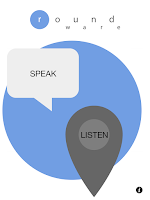
During three weeks in October, students in Stephanie's Moon Art & Technology elective class at the Middle School worked with visiting artist Halsey Burgund to create a local installation of audio art, "4 Corners & 4 Questions." You can experience this virtual installation on our Middle School campus! Just download the Roundware app from the iTunes store; then when you are on campus, click on LISTEN or click on SPEAK if you would like to participate in answering any of the 4 prompts. Enjoy the experience!

This exploratory project enabled students to learn about the concept of sound art, and to be introduced to the work of Halsey Burgund who is a sound artist in the Boston area exploring the richness of sound as an art form and combining this medium with technological tools to create installation experiences. He works with several institutions including Harvard University, the Museum of Science in Boston, Miami Art Week, and the MIT Media Lab, to name a few. He has also programmed his own phone app (Roundware) which enables the audience to both contribute their voices to the work as well as to experience it. Here are a few other samples of Halsey's work:

At BB&N, the Art and Tech class was introduced to Halsey’s Artistic Process:
  1. Brainstorming a Theme 
  2. Selecting Music, Voices, Ambient Noise 
    1. collecting/creating sounds 
    2. editing sounds 
    3. creating ambient layer 
  3. Assembling the sound booth to collect student voices 
  4. Using Roundware (http://roundware.org/)

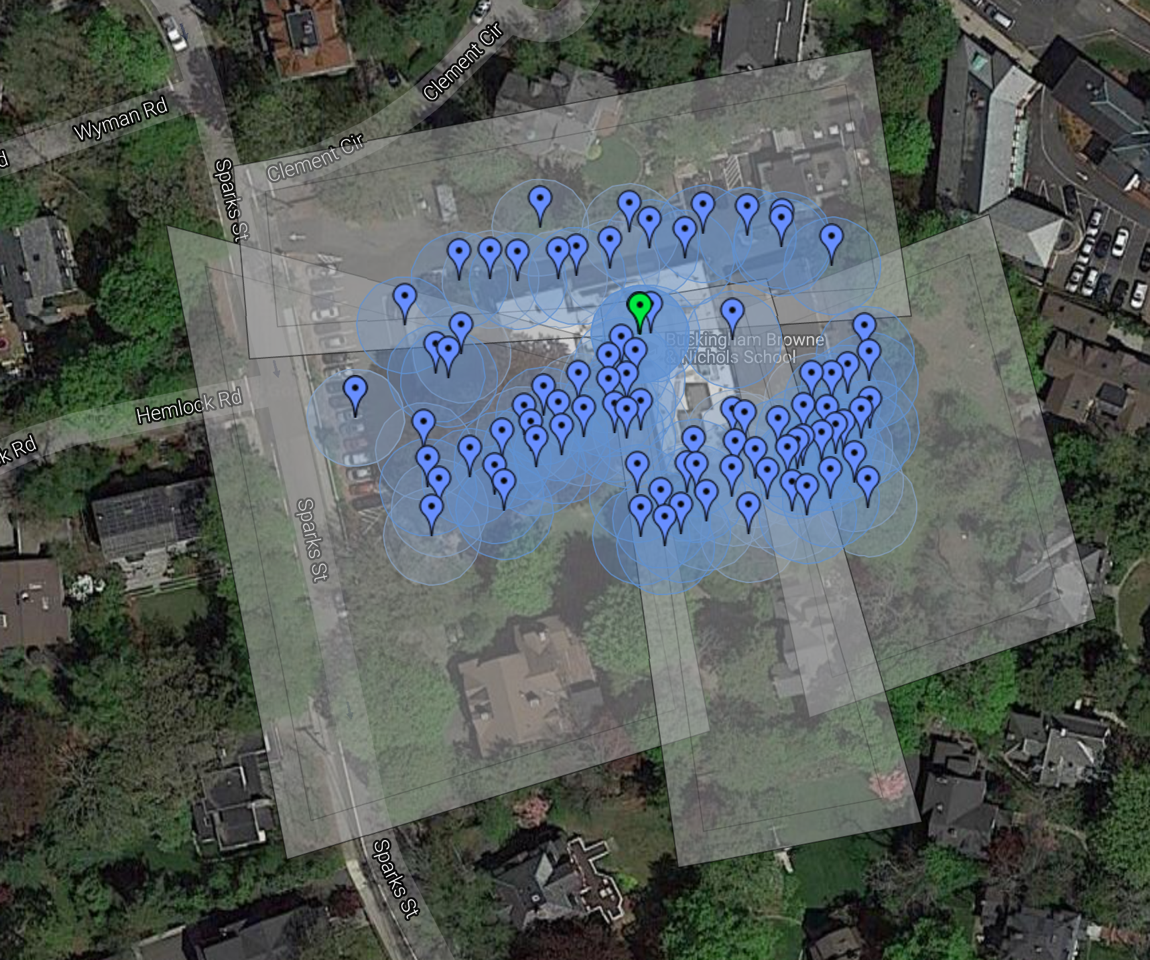
The 4 Corners & 4 Questions are now part of the MS grounds virtual installation:
  1. Laughter - Try to make me laugh, tell a joke (as you enter the school) 
  2. Song - Sing a part of your favorite song (by the new sports shed) 
  3. Encouragement/motivation - Say something to makes someone's day better (in the back by the science building) 
  4. Venting - What's bugging you? (on the way to the carriage house)


Collecting the sounds using sound booth on the MS campus

Testing installation with Halsey


Copy of PastedGraphic-5.png


Thursday, January 22, 2015

Art on Display at the Upper School

The Art Department is at it again! The Gallery Talks last Thursday evening were a huge success and a lovely way to hear from student artists about the process of creating their pieces. Congrats to the Art Department on creating such a lovely evening and for putting up the Winter Student Art Show! And, a special thank you to Lanie for acting as the emcee for this event! The students that spoke about their art work included: Alex Evenchik (Ceramics), Ezra Burstein (Ceramics), Callie Costello (Advanced Painting and Drawing), Julie Peng (Introduction to Painting and Drawing), Peter Mankiw (Introduction to Painting and Drawing), Marin Lang (Advanced Photography), Emma Rashes (Introduction to Photography), Alex Fecteau (Design and Architecture), Kofi Yankey (Woodworking), and David Nazemi (Woodworking).
-from Katrina Fuller's Thursday Announcements and Reminders

Thanks to Andrew Warren, we now have a video playing on a loop in the faculty lounge as well as on the TV screen outside of the theater.  We have five videos of students talking about their art work at the winter student art show followed by three student-made music videos, produced for Warren's year-long"film and video" course.

Tuesday, May 27, 2014

Intersection of Art & Technology

Every now and then on the web, one comes across a brilliant example of using technology to support an artistic effort. The following video by the dance troupe Enra in Japan is a great example. Its use of projected light adds a unique visual element to the dance performance. I wonder how they created the projected images. To me, this video exemplifies the approach we strive for with technology at BB&N. We want to extend and enrich the curriculum using technology tools that add new meaning, enable new functionality, or enrich the meaning of the learning.


Thursday, May 24, 2012

KNBC revamped MS Clubs and Organization webpage

KNBC, Knights Broadcasting Club, a student media club, meets weekly during the school day. Projects from the 2010-2011 school year included Cambridge's contribution to the collaborative documentary project, Mapping Main Street (http://www.mappingmainstreet.org/) and an exploration of new media including Meez, Flipbook, iMovie, ComicLife, GarageBand, iPhoto; in the second half of the year, students put their skills into practice as they developed and ran several seminars on BBN Arts Day in March and produced a variety of short films for the final assembly in June.

In addition to building on these initiatives, members of KNBC 2011-2012 worked on a few longer term projects including photoshop and original short animated films. KNBC meets during study hall on Tuesdays, with the occasional off-campus field trip to locations such as the WGBH studios, Museum of Science and the Institute of Contemporary Art (ICA).

KNBC's latest project was revamping the Middle School Cubs and Organization page. Students worked in groups using a variety of media to create content for KNBC, Chorus, Science, Community Service, The Spark, Jazz Band, Affinity Lunch, Chamber, D-Squared, Literary Group and BB&N Players. In addition they created this fun video to capture their work.

Enjoy!

Monday, April 2, 2012

6th Grade Glogster and QR Code project

Glogster is a tool that allows your students to make interactive online posters by mixing images, text, music and video.

This year the 6th grade French and Spanish students are using Glogster to complete their MFA ACTion (Arts, Culture, and Technology) projects. All students visit the MFA, and in art class they choose a painter and a painting for a master study.  In French and Spanish classes the students research their painters and paintings to create interactive online posters. Using Glogster, students are able to embed video clips and insert images of their artists and their paintings as well as audio clips of music from the artists' time periods.  Lastly, students can use Glogster to record their own voices in their target languages.  Each glog results its own unique URL.  During technology class, students will turn their URLs into QR codes, and on Sunday, May 13th, the student paintings will be hung on the MFA walls along with the QR codes linking the students' physical artwork to their interactive glogster posters, accessible online via iPads and smartphones.

Below are a few examples of student projects:

If you are interested in learning more about Glogster in the classroom, check out Glogopedia to see sample projects to get ideas on how Glogster could be useful to your students.

For more information on QR codes in the classroom, please see:

Thursday, April 21, 2011

6th Grade ACTion Project at the MFA


This past Sunday, April 19th, at the annual BB&N at the Museum of Fine Arts day, all 6th grade students had their impressionistic artwork on display. In addition, there were laptops available at the MFA for visitors to view the students' recent technology projects incorporating their art pieces with French and Spanish recordings about their painters. This project has been called the MFA ACTion project for Arts, Culture, and Technology.

All 6th graders completed a master study in their art classes with Sharen Bowden then researched their painters and paintings in their Spanish and French classes with Senora Cristina Carrion Murphy and Madame Soizick Munir. In technology class the students then scanned their artwork and recorded their Spanish and French scripts. All elements of the project were pulled together by the students using MIT's scratch programming environment where some students also chose to animate their paintings. All projects have been posted online in a gallery.


Tuesday, February 22, 2011

Doodle 4 Google K-12 contest


Doodle 4 Google is a competition where Google invites K-12 students to use their artistic talents to think big and redesign Google’s homepage logo for millions to see. At Google, they believe that dreaming about future possibilities leads to tomorrow’s leaders and inventors, so this year they're inviting U.S. kids to exercise their creative imaginations around the theme, "What I’d like to do someday…"

Whether students want to find a cure for cancer or take a trip to the moon, it all starts with art supplies and some 8.5" x 11" paper. And, one lucky student artist will take home a $15,000 college scholarship and $25,000 technology grant for their school, among many other prizes.

Registration closes at 11:59:59 p.m. Pacific Time (PT) on March 2, 2011, and entries must be postmarked by March 16, 2011 11:59:59 p.m. Pacific Time (PT). The winning doodle will be featured on Google.com's homepage on May 20, 2011.