links to tags

Filter by: LS     MS     US     Tech in the Classroom     Launch Projects


Showing posts with label library. Show all posts

Thursday, February 7, 2019

MS Students Use Padlet for Brainstorming

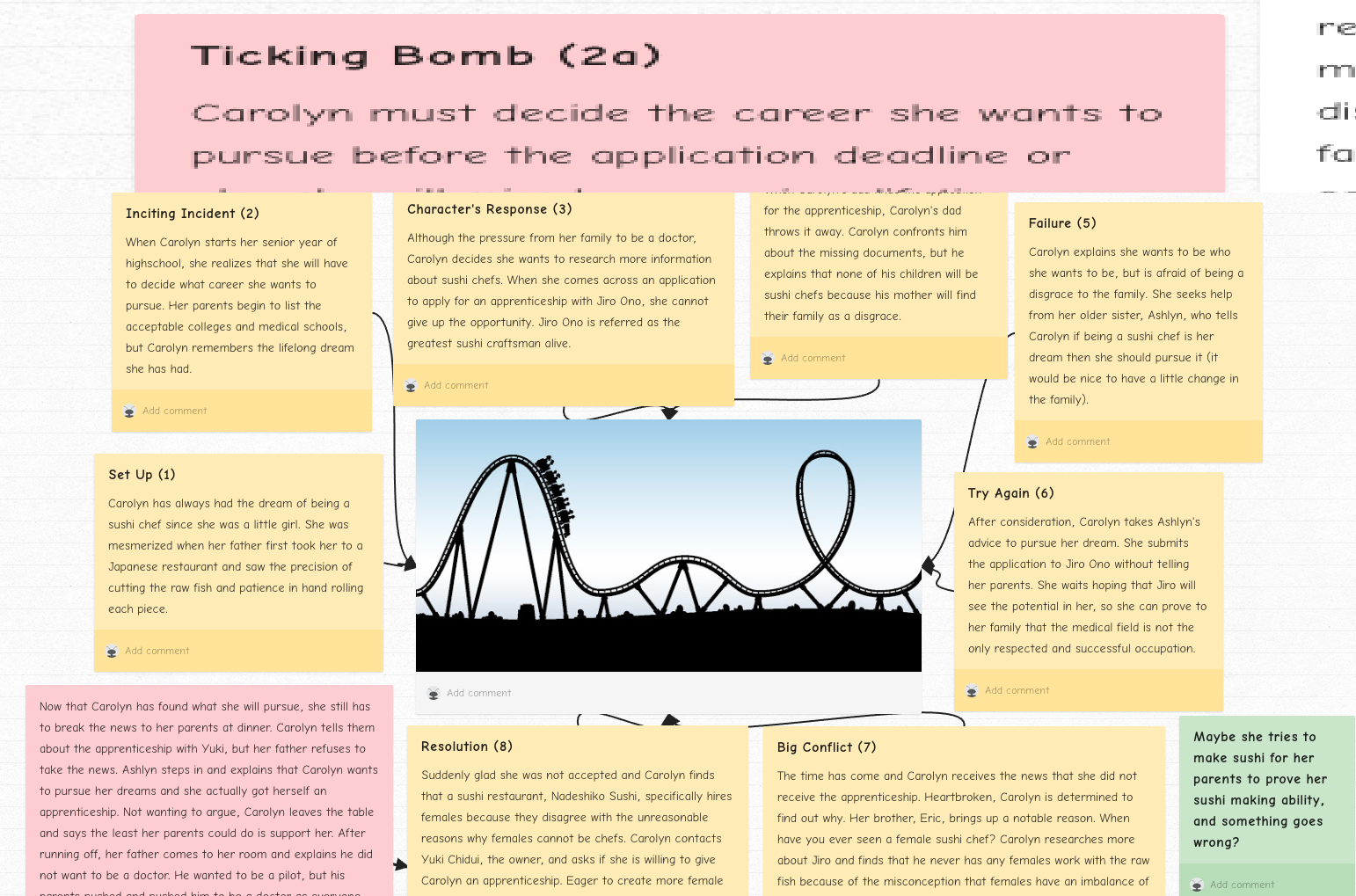
Librarian Wendy Wunder used Padlet to have 8th grade English students brainstorm about their story projects. She said, "I used Padlet as a platform for a week-long class on Brainstorming the 10-Page Short story. Padlet is so accessible and flexible that it enabled the students to easily share their thoughts and ideas. As 'digital natives,' they were very comfortable beginning their creative process using this digital tool. Using Padlet broke down some barriers to accessing their creativity. They jumped right to it. It was wonderfully collaborative. The other students and I could give them feedback on their ideas. It also supported multimedia, in that they could post photos, videos, songs, links and any media that could inspire their stories. The could shuffle their notes and paragraphs around to help them with structure. It could be a great platform to use in research papers as well. Each 'post' could replace a traditional note card...citations can link right back to online sources etc."

Here are links to a couple of their brainstorm padlets...

https://padlet.com/acwu/shortstory

https://padlet.com/tholland7/75sv8ma4fcrc

https://padlet.com/psegovia/u6g8gvs97qly


Thursday, November 9, 2017

Library/Tech Classes Supporting Middle School Technology

At the beginning of the school year, the librarian and academic technology specialist provided a library orientation and taught information literacy and technology classes to all 7th and 8th graders. Our curriculum supports the middle school’s 1:1 laptop program and ensures that our students have the skills to succeed in our technology-enriched school environment. The program includes:

Monday, March 13, 2017

QR Codes Book Display in Middle School LLC

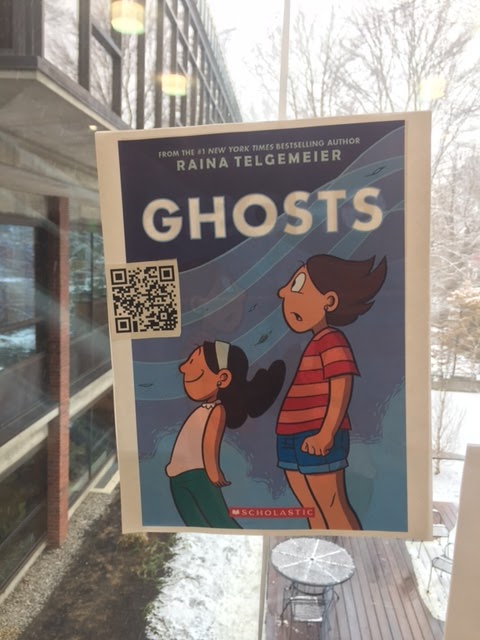
Want to find good books to read over break? The Library Learning Commons (LLC) faculty has created QR code book displays in the first floor foyer window display. QR codes consist of black squares arranged in a square grid on a white background, which can be read by the QR reader app on a smart phone or iPad. A QR code is really just a website URL, but it allows phones, iPads, and other mobile devices to easily pull up the website by scanning it with the camera, rather than needing to type in a long URL. This makes it easier to bring a visitor to a website to get more info.

To read the QR codes:


Friday, October 28, 2016

Interactive Pumpkin Display in Middle School Library

Every Friday approximately twenty four students get together for lunch at the Library Learning Commons. They are the students in the Middle School Literary Club. They talk about favorite books, play trivia games, talk about movies and read during lunch.  They also share treats for dessert. Sometimes they also create media projects like the one below. In this interactive Halloween Pumpkin display studnets used Make Makey to create an interactive audio experience. They recorded scary passages from the books. A quick video below captures the feel of this exhibit!

try.


Friday, January 15, 2016

Upper School Faculty Tech Byte #2- Library Website

On Thursday Laura gave the Upper School faculty a virtual tour of the Upper School Library website, created in google sites, highlighting the embedded photo slideshow, links to local library catalogs, the webpage listing all of the hard-copy newspapers and magazines to which we subscribe, and a beautiful page highlighting the library's new titles, which links to their pages on goodreads.  Laura also shared the library blog created in blogger and the library twitter feed.

Tuesday, March 29, 2011

3rd Grade Africa Research

During the winter 3rd grade studied Africa. As part of this unit students worked in partners to learn about one African country in detail. They did the research using tools they learned about during Information Science/Technology class including GoogleEarth, the BB&N Lower School library catalog and worldbook.com.
After gathering their facts the students then choose how they wanted to present their information. Each group was allowed to choose their own style of presentation and this year projects included Powerpoint presentations, Jeopardy games, movies, posters and Scratch animations. The students did amazing work and this week they are presenting their projects to their classes.

Wednesday, February 9, 2011

Enhancing the MS Library Website: the Portal to the Library and its Information.


As middle school librarian, I am constantly challenged to find new and innovative ways of providing user-friendly, easily accessible quality information for our students. With this in mind, my launch grant is designed to enhance the ms library website, the portal to the library and its information. I used a three-pronged approach:


1. I re-created the MS website using Google Applications, because it’s more readily accessible, easier to navigate and it lacks the many layers of password protection required by the previous website created with First Class’s Rapid Web Design. Check it out at https://sites.google.com/a/bbns.org/middle-school-library/

2. I explored the various subscription databases, e-books and websites linked on the website. I experimented with a variety of search engines and directories. I conducted searches typical for MS science and history classes, the two primary subjects for which our MS students conduct research. I determined that some databases are more useful to our curriculum than others. Facts on File history databases were quite helpful, but the Science Online database was not as useful for science fair research as simply using search engines such as Advanced Google and Sweet Search. Our task now is to integrate effective search strategies and website evaluation skills within MS curriculum. I look forward to working with the BB&N community as we move forward in this effort.

3. I am seeking student input to develop new aspects of the website, including blogs and book trailers, for the upcoming Read-a-thon and Community Read, visuals, voice thread, and potentially, in the near future, entertaining online skills instruction on the website. I’m trying to make the site more interactive and engaging.


Beth Brooks, MS Library Director, All School Library Coordinator

Wednesday, January 26, 2011

eReaders in Education

Reader
Once you’ve negotiated the Gordian knots of getting accounts through the school, iPad, Nook and Kindle perform exactly what their advertising promises, so...


eReader

Which is my favorite? iPad; no contest. I can build and organize an extensive library (much of which is free), bookmark several books at several points, enlarge print (or change style of font), even have the ‘read aloud’ function on (though with fiction this is more annoying than I can stand). In short, I’m carting around a virtual wheel-barrow full of books that doesn’t spill or get out of order.

Danger danger: This is soooo addictive.

The Big Picture: Illustrations are happening. The Earnest Shepherd ones for Pooh, for instance, have colors very close to the original. I expect more and more picture books by the day.

Dictionaries, highlighting and note taking functions make this seem like a great teaching tool.

Oh, and email and all my favorite sites are right there too, including Netflix and any games I might want plus the iPad functions as an iPod and can be my photo album etc.

Nook and Kindle do the electronic reader thing adequately. All 3 make great one on one learning tools. Ask me for my list.

Problems: Kindle has hampered itself in that it cannot accept materials from anywhere but Amazon. Nook likes Barnes & Noble. The advantage: no distractions like sample games or surfing.

Conclusion: It’s a rapidly evolving technology… so new models arrive in the Spring.

Next moves: Using these with students, and researching group rates.

Recommendation: School could make setting up an account simpler.

-Heather Lee
Lower School Librarian
Friday, October 8, 2010

Mass. School Library Association Annual Conference

I had the great opportunity this past Monday to attend the annual Mass. School Library Assoc. conference, a wonderful professional development venue for school librarians. It is always inspiring to network with colleagues. The day is packed with a multitude of workshops I loved hearing about hot new young adult books, and have already ordered a number of them for the middle school library. I heard about how Cushing Academy is organizing information now that the library has drastically reduced their print collection. Last year, I was concerned about the library nearly eliminating all print resources; despite my lingering misgivings, I am impressed with their vision about how to organize online information. I feel validated, having worked on the MS library web page for the past year and a half with Svetlana; we are moving in a similar direction in terms of information organization. We are striving to create a library web site that serves as a portal for information access, both print and electronic. Later in the afternoon, my imagination went to town as I listened to the librarian and info. tech. specialist from Pentucket High School describe their "Digital Literacy Challenge" program. Every two weeks, they present their school community with a challenge that requires use of a digital tool or resource, like visiting delicious, exploring the wonder wheel feature of advanced google search, using the online library catalog to find relevant resources for a research project, and more. I'm thinking about how to integrate this sort of challenge into the middle school. I am always grateful for a chance to learn new things and find ways to use them here at BB & N!
Beth Brooks, MS Library Director and All School Library Coordinator

Monday, September 27, 2010

8th Grade Science Fair Research

The librarian introduced eight graders to the Science Fair Resources posted on the library web page. Students evaluated two bogus websites and learned some search strategies. They explored search engines (advanced google and sweet search) as well as electronic databases and educator-approved websites accessed through the library online catalog.